
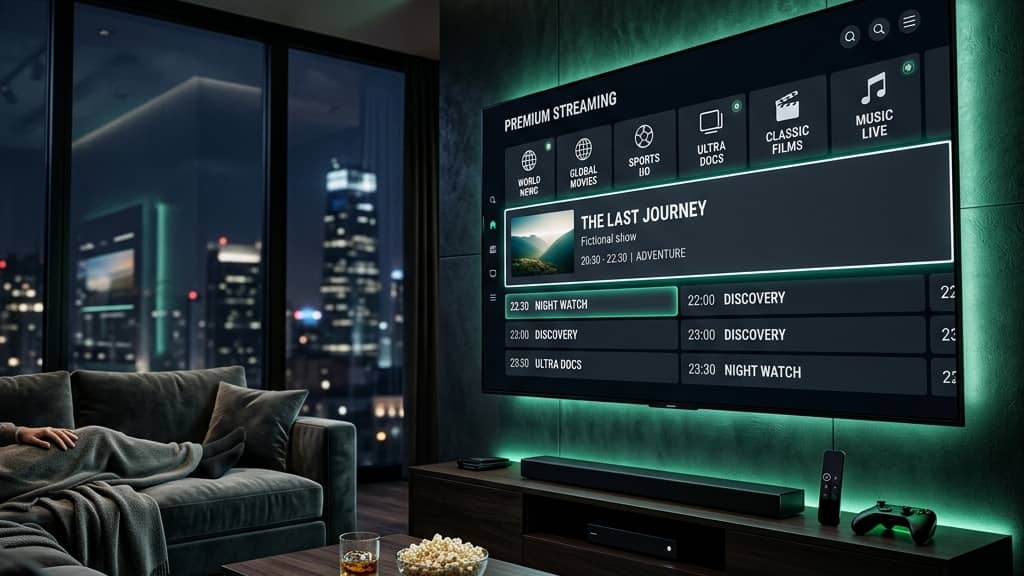
How to Become an IPTV Provider: Your Complete Guide for 2026

Thousands of people are watching others cash in on the booming IPTV industry and wondering how they got there. If you've been paying for an IPTV subscription yourself — enjoying live sports, VOD libraries, and hundreds of channels — you've probably already asked: what if I could be the one selling this? The truth is, becoming an IPTV provider is more accessible than ever, but it's also full of technical landmines, legal grey areas, and business mistakes that can sink you before your first customer signs up. This guide walks you through exactly how to become an IPTV provider from the ground up — the infrastructure, the reseller panels, the apps your customers will use, and the things nobody tells you until it's too late.
Understanding how to become an IPTV provider properly isn't just about flipping credits from a panel. It's about building a sustainable operation that your customers trust — because if streams buffer, if M3U playlists break, or if your upstream server goes down on a Champions League final, your business evaporates overnight. Getting the foundation right is everything.
Core Concepts & Need-To-Know Info
- Upstream Provider vs. Reseller: Most new IPTV providers start as resellers, purchasing credits or lines from an upstream server operator and reselling them under their own brand. True providers own the infrastructure, which requires significant capital.
- M3U Playlist & Xtream Codes: These are the two dominant delivery formats. An M3U URL contains your customer's stream links. Xtream Codes API format (username, password, server URL) is what most apps like TiviMate, IPTV Smarters, and GSE Smart IPTV use to authenticate users.
- Lines / Credits / Connections: When you buy from an upstream reseller panel, you purchase lines (active subscriptions) and credits (currency used to create those lines). A single-connection line allows one device to stream at a time.
- VOD (Video on Demand): Beyond live channels, most IPTV services offer a VOD library of movies and TV series. This is a major selling point for customers.
- EPG (Electronic Program Guide): The on-screen channel guide. A solid EPG source dramatically improves the user experience and is something your chosen panel should support.
- Server location & CDN: The closer the streaming server is to your customer geographically, the lower the buffering risk. Ask any upstream provider where their servers are hosted.
- Bandwidth capacity: Each simultaneous stream consumes bandwidth. Your upstream provider's infrastructure needs to handle peak load without degradation.
Step-by-Step Guide
- Step 1: Research and Choose a Reliable Upstream Provider:
- This is your most critical decision. Search IPTV reseller forums, Reddit communities, and Telegram groups for reviews. Request a free trial before committing any money. Test streams during peak hours — Saturday afternoons during football matches are the real stress test. Look for uptime guarantees, channel counts, VOD library size, and whether they offer Xtream Codes panel access.
- Step 2: Purchase a Reseller Panel:
- Once you've vetted an upstream provider, negotiate a reseller panel agreement. You'll receive access to an admin dashboard where you can create, manage, and expire customer accounts. Most panels provide you with a server URL, and you'll distribute Xtream Codes credentials (username + password) or M3U playlist URLs to your customers.
- Step 3: Set Up Your Branding:
- Decide on a business name and brand identity. You don't need to reveal your upstream source. Create a simple website or landing page — even a one-page site with a contact form and payment options works at the start. A professional appearance builds trust immediately.
- Step 4: Define Your Pricing and Packages:
- Calculate your cost per line from the upstream panel, then mark it up to build your margin. Common pricing tiers include 1-month, 3-month, 6-month, and 12-month packages. Bundle multi-connection plans (2 or 4 simultaneous streams) at a premium. Research competitor pricing in your target market to stay competitive without undervaluing your service.
- Step 5: Set Up Payment Processing:
- Cryptocurrency (Bitcoin, USDT) is widely used in the IPTV reseller space due to its decentralized nature. PayPal and Stripe come with chargeback risks and terms-of-service concerns in this niche. Many providers use a combination of crypto for new customers and other methods for established, trusted clients.
- Step 6: Create Customer Accounts and Deliver Credentials:
- Using your reseller panel, create a line for each new customer. Set the expiry date based on their subscription length. Send them their server URL, username, and password along with setup instructions for the apps they want to use — TiviMate for Android/Firestick users is the gold standard, while IPTV Smarters Pro is a solid alternative for less technical customers.
- Step 7: Provide Setup Support:
- This is where most resellers lose customers — poor onboarding. Create simple how-to guides or short video tutorials showing how to enter Xtream Codes credentials into TiviMate, how to install apps via Downloader on a Firestick, and how to set up on Smart TVs. Customers who feel supported renew. Customers who feel abandoned churn.
- Step 8: Monitor, Maintain, and Scale:
- Log into your reseller panel regularly to check server status alerts. Keep a record of expiring subscriptions and send renewal reminders 3-5 days in advance. As your customer base grows, consider purchasing more credits in bulk for better pricing, and evaluate whether moving to your own dedicated server infrastructure makes financial sense.

Imagine launching your IPTV business, landing 50 paying customers, and then having your upstream provider disappear without warning — no refund, no notice, just dead streams. It happens constantly in this industry. That scenario alone is why vetting your upstream source with trial periods and community reputation checks is non-negotiable. Similarly, customers who can't get their Firestick set up and can't reach you for help will file a dispute with their bank before they'll send you a second message. Support infrastructure isn't optional — it's your retention strategy.
Best VPNs to Stop ISP Throttling for Your Customers
ISP throttling is one of the most common complaints IPTV customers bring back to their provider, even when the streams themselves are perfectly healthy. Educating your customers on VPN use is a professional differentiator.
- ExpressVPN: Consistently fast servers, easy one-tap setup on Firestick, and a dedicated app on Android TV. It's the most beginner-friendly recommendation you can make to a non-technical customer.
- NordVPN: Offers NordLynx protocol, which delivers exceptional speeds ideal for 4K IPTV streaming without the latency hit of older VPN protocols.
- Surfshark: The best value option, especially for customers streaming on multiple devices simultaneously since it allows unlimited simultaneous connections on a single plan.
- Never recommend free VPNs: Free VPN services log data, sell bandwidth, and often throttle speeds worse than the ISP itself. Pointing a customer toward a free VPN is handing them a worse problem than the one they started with.
Recommended Apps: TiviMate vs IPTV Smarters
Choosing the right player app is part of how to become an IPTV provider that customers actually love using. The app is your customer's entire interface with your service.
- TiviMate: The premium choice for Android TV and Firestick users. Its EPG display is beautiful, channel organization is intuitive, and the paid Companion app ($4.99/year) unlocks multi-playlist support, catch-up, and recordings. Recommend this to any moderately tech-savvy customer.
- IPTV Smarters Pro: More accessible for complete beginners. The interface walks users through entering Xtream Codes credentials step by step, and it's available on iOS — making it one of the few solid options for iPhone and iPad users.
- GSE Smart IPTV: Works well for customers who want fine-grained control over their M3U playlist and EPG sources, particularly useful for international channel setups with multiple playlist sources.
- Create app-specific setup guides for each. A customer on a Firestick follows a different installation process than someone on a Samsung Smart TV or an iPhone. Covering all three in your support documentation separates a professional operation from a fly-by-night reseller.
Network Requirements for Stable Streaming
Your customers' home internet setup is the last mile of your service quality — and you need to set realistic expectations upfront.
- Minimum speeds per stream: HD content requires 10-15 Mbps per stream. 4K content needs 25-50 Mbps per stream. Customers with slow connections will blame you regardless of where the bottleneck actually is.
- Wired is always better: Encourage customers to connect their Firestick or Android TV box via Ethernet using a cheap USB-to-Ethernet adapter rather than relying on Wi-Fi, particularly for 4K channels or live sports.
- Router placement matters: If a customer insists on Wi-Fi, make sure their streaming device is in the same room as the router, or recommend a mesh Wi-Fi system if their home layout causes signal issues.
- DNS settings can improve stream reliability: Recommend customers switch their DNS to 1.1.1.1 (Cloudflare) or 8.8.8.8 (Google) in their router or device settings. This can resolve playlist loading delays that have nothing to do with stream quality itself.
Common Setup Mistakes & How to Fix Them
Even the best upstream provider can't save a customer who sets up their app incorrectly. These are the issues you'll troubleshoot most often.
- Wrong portal URL format: Customers frequently enter the server URL with or without http:// incorrectly. Specify the exact format they should type, including whether a port number is required at the end.
- Expired EPG source: If a customer's channel guide shows no programme information, their EPG URL may have changed. Keep an up-to-date EPG URL in your support documentation and remind customers to refresh it monthly.
- App cache buildup causing freezing: On Firestick and Android TV, IPTV apps accumulate cache that causes freezing and app crashes. Instruct customers to clear the app cache every 2-4 weeks via Settings, Applications, Manage Installed Applications.
- Multiple devices on one single-connection line: A customer who shares their credentials with a family member in another room will get kicked off their own stream. Upsell multi-connection plans proactively rather than waiting for the complaint.

Knowing how to become an IPTV provider is genuinely one of the more attainable online business opportunities available right now — but it rewards the people who treat it like a real business: vetting suppliers, supporting customers properly, managing their reputation, and staying technically informed. Start with a solid upstream provider, build your onboarding process before you have customers, and grow from there — then check out our channel list and pricing plans to find the upstream partnership that fits your launch goals.
Frequently Asked Questions
Ready to get started?
Try our service risk-free with a 24-hour free trial.
Related Articles
What's IPTV? Discover the Ultimate Guide to Streaming Services
Explore our comprehensive guide on IPTV and streaming services.

Best IPTV Player Apps for Roku You Should Try Right Now
A practical guide to the top IPTV player apps available on Roku devices. Covers Smarters Player Lite and Televizo alongside lesser-known options with real performance comparisons and step-by-step installation walkthroughs for each one.
Best IPTV Player for Windows PC in 2026: Top 5 Apps Compared
A 2026 comparison of the top IPTV player apps for Windows 10 and 11 on 4K decoding, EPG support, and CPU efficiency on desktop and laptop PCs.