IPTV Free Trial: How to Test Premium Streaming Before Buying in 2026

Before replacing traditional cable (see our real-world IPTV vs cable cost breakdown), the single biggest mistake cord-cutters make is buying a subscription without demanding a 24-hour free trial first. While the IPTV industry has evolved with superior H.265 compression, lower latency, and expanded 4K sports coverage, deceptive marketing has grown equally sophisticated. Fly-by-night resellers often build polished storefronts with fabricated review scores, only to deliver overloaded streams that buffer incessantly during live events. A dedicated 24-hour IPTV free trial is your most powerful tool to verify real-world server performance, Electronic Program Guide (EPG) reliability, and genuine 4K stream delivery before spending a single dollar.
A meaningful IPTV trial in 2026 goes beyond checking whether a news channel loads in the middle of a weekday afternoon. Real evaluation requires deliberate stress-testing under peak network congestion. A premium provider engineered with redundant load-balancing clusters will maintain sub-second channel zapping and pristine video output even during major weekend sports tournaments. If a provider charges for basic trial access or demands recurring payment details upfront, that is an immediate signal to look elsewhere.
Core Concepts & Trial Evaluation Standards in 2026
- Xtream Codes API: The preferred connection protocol in 2026. Consisting of a Server URL, Username, and Password, it allows IPTV players like TiviMate to fetch organized channel categories, VOD posters, and EPG data instantly without typing complex M3U playlist URLs.
- Peak-Hour Testing Window: The vital diagnostic timeframe between 8:00 PM and 11:00 PM local time. Testing during this window stress-tests the provider's server capacity against maximum concurrent subscriber load.
- H.265 (HEVC) Compression: The modern streaming standard delivering 4K and Full HD video at roughly half the bitrate of older H.264 codecs, enabling smooth, buffer-free playback on home connections as low as 20 Mbps.
- Zapping Speed (Channel Switching Latency): The response time when flipping between channels. High-performance infrastructure renders new live video streams in under 1.5 seconds.
- EPG (Electronic Program Guide) Accuracy: A functional real-time schedule that aligns with your local time zone. A broken or empty EPG during your trial indicates neglected backend server maintenance.
- ISP Throttling Diagnostics: The practice where internet providers detect IPTV streaming protocols and intentionally restrict bandwidth. Identified by running side-by-side stream comparisons with and without an encrypted VPN.
Step-by-Step Protocol to Stress-Test an IPTV Free Trial
- Step 1: Set Up Your Streaming App Before Generating Credentials
- Because your 24-hour countdown starts the moment your trial account is created on the server, install your player app beforehand. On Amazon Firestick or Android TV, install TiviMate, IPTV Smarters Pro, or XCIPTV via the Downloader app. Connect your device to a 5 GHz Wi-Fi band or hardwire it with a USB Ethernet adapter, and run a baseline speed test to verify you have at least 30 Mbps download speed.
- Step 2: Request Instant Credentials Without Billing Info
- Submit your trial request through the provider's official portal or verified support chat. Trustworthy providers require only an email to dispatch your Xtream Codes API credentials. Never input debit or credit card details for a free test pass — any provider that demands payment information for a trial is running a billing trap.
- Step 3: Load Xtream Codes into TiviMate
- Open your player, select Add Playlist, and choose Xtream Codes API. Input the Server URL, Username, and Password provided by the support team. Allow the application 60 to 90 seconds to parse channel categories, VOD posters, and the Electronic Program Guide. If categories appear disorganized or the EPG fails to load, the provider's backend panel is poorly maintained.
- Step 4: Execute the 30-Minute Live Match Stress Test
- Switch to a high-demand live sports channel during a prime-time broadcast. Stream uninterrupted for 30 minutes without changing channels. Monitor closely for audio desync, frame drops, or recurring 10-second buffering loops that indicate server bandwidth exhaustion under heavy traffic.
- Step 5: Run the VPN Toggle Diagnostic
- If you observe buffering, connect to a fast local VPN server (ExpressVPN, NordVPN, or Surfshark) directly on your Firestick. If the stream immediately stabilizes into smooth 4K playback, your ISP is actively throttling your IPTV connection. If freezing continues with the VPN on, the provider's server backend is congested and you should cancel.
- Step 6: Verify VOD Scrubbing and Subtitle Sync
- Open the Movies and Series catalog, launch three different titles, and fast-forward 30 minutes into playback. Premium VOD servers support rapid timeline scrubbing, multi-audio tracks, and synchronized multi-language subtitles without crashing your media player.
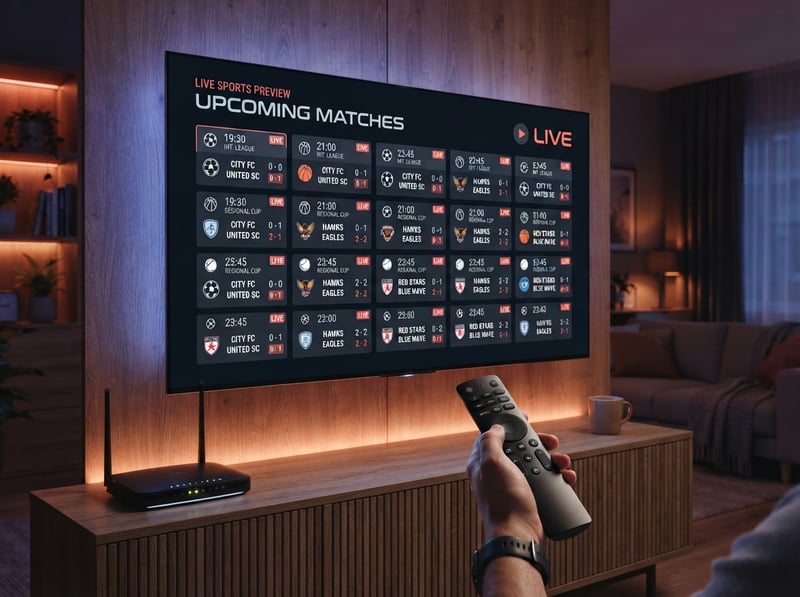
A real-world example illustrates why trial discipline is essential. Recently, a cord-cutter reached out after purchasing a 12-month subscription based purely on attractive website pricing and claims of 35,000 channels. On quiet weekday afternoons, standard channels played fine. However, during the very first Sunday football match, every major live stream froze every 15 seconds due to server capacity failure. Because he bypassed the 24-hour trial and paid upfront for a year, he lost his entire investment with zero refund recourse. Taking 20 minutes to systematically test a trial prevents this outcome every single time.
What to Look for in a 2026 Premium IPTV Trial
When analyzing your trial stream in 2026, look for specific technological benchmarks. Premium providers deliver native 4K streams at 60 frames per second for ultra-smooth live athletic coverage. Check that the Electronic Program Guide updates automatically without requiring manual XMLTV refreshes. The channel layout should feature cleanly categorized sections for the US, UK, Canada, Australia, and international regions, complete with redundant backup stream feeds for major broadcast networks. Additionally, verify that the VOD library is refreshed daily with recent releases rather than static catalogs from years past.
Network Optimization for Flawless Trial Results
Before blaming a provider for streaming issues, verify that your home network is properly configured for high-bitrate video delivery. Always connect streaming hardware to a 5 GHz Wi-Fi band or use an Ethernet adapter, as 2.4 GHz frequency bands in apartment complexes and residential areas suffer from severe signal interference. Update your router DNS servers to Cloudflare (1.1.1.1) or Google (8.8.8.8) to bypass restrictive ISP DNS filtering. Inside your IPTV player settings, configure buffer size to 3 seconds — this provides the optimal balance between instant channel switching and protection against minor Wi-Fi jitter.
A 24-hour free trial is your ultimate leverage as an informed consumer. It provides complete transparency into server reliability, picture clarity, and content variety on your own hardware without financial exposure. Once you identify a provider that excels across peak-hour stress testing with sub-second zapping and crystal-clear 4K streams, you can upgrade with absolute confidence. Explore our comprehensive channel lineup and affordable pricing plans, request your free 24-hour trial, and start streaming premium entertainment tonight.
Frequently Asked Questions
Ready to get started?
Try our service risk-free with a 24-hour free trial.
Related Articles
How to Choose the Best IPTV OTT Provider for You
Tips for selecting the right IPTV OTT provider.
How to Set Up IPTV: A Comprehensive 2026 Guide
Learn how to set up IPTV effortlessly with our guide.
Roku Projector Setup and How to Build a Budget Home Cinema in 2026
A complete guide to building an affordable home cinema using Roku-powered projectors or by connecting a Roku streaming stick to a standard projector. Covers hardware selection, room optimization, audio pairing, and streaming configuration for massive screen entertainment at a fraction of traditional television costs.