
How to Choose the Best IPTV OTT Provider for You

Picking the wrong IPTV OTT provider is one of the most frustrating mistakes a cord-cutter can make. You spend money on a subscription, spend an hour setting up TiviMate or IPTV Smarters, paste in your M3U URL and then spend the next three months fighting constant buffering, dead channels, and EPG data that hasn't updated since last Tuesday. The good news? Choosing the right provider from the start eliminates all of that. This guide breaks down exactly how to choose an IPTV OTT provider that actually delivers, whether you're streaming on a Firestick, Android TV box, Smart TV, or any other device in your setup.
Choosing the right IPTV OTT provider isn't just about getting more channels, it's about building a streaming foundation that works every single day without constant intervention. A bad provider means you're back troubleshooting instead of watching, and that defeats the entire purpose of cutting the cord.
Core Concepts & Need-To-Know Info
- M3U Playlist / M3U URL: This is the file or link your IPTV app uses to load channels. Every provider gives you one. A poorly maintained M3U means broken or outdated channel lists.
- Xtream Codes API: A more stable connection method than a raw M3U URL. It uses a server URL, username, and password to authenticate your subscription. Most serious providers offer this.
- VOD (Video On Demand): The library of movies and TV shows included in your plan. Quality varies wildly between providers.
- EPG (Electronic Program Guide): The TV guide that tells you what's on and when. Without a proper EPG feed, you're navigating blind.
- Server Locations & CDN: Providers with multiple server locations or Content Delivery Networks handle high-traffic periods better and reduce buffering.
- Concurrent Connections: How many devices can stream simultaneously on one subscription. Family households need at least 2-3 connections.
- Trial Periods: Any reputable provider will offer a 24-48 hour trial. If they don't, that's a red flag.
- ISP Throttling Exposure: Your internet provider can detect IPTV traffic and slow it down deliberately. A VPN-compatible service helps you work around this.
Step-by-Step Guide: How to Choose an IPTV OTT Provider the Right Way
- Step 1: Define Your Streaming Needs:
- Before you even open a browser, write down what you actually need. Are you after live sports, NFL, Premier League, UFC PPV? Do you need international channels in a specific language? Do you want a massive VOD library or is live TV your priority? Knowing this narrows your shortlist immediately and stops you from paying for a premium package loaded with channels you'll never watch.
- Step 2: Research Providers Through Trusted Communities:
- Head to forums like Reddit's r/IPTVtalk or dedicated IPTV review communities. Real user reviews, especially those mentioning specific issues like server downtime, M3U URL loading times, or EPG accuracy, are far more reliable than any provider's own marketing page. Make a shortlist of 3-5 providers that consistently get positive mentions for stability.
- Step 3: Check the Channel List and VOD Catalog:
- A reputable provider will show you a sample channel list or let you browse their VOD library before committing. Look for the specific channels you care about. Check whether they include local channels in your region, premium sports networks, and whether their VOD library includes recent releases or just content from five years ago.
- Step 4: Request a Trial Subscription:
- This is non-negotiable. Any serious provider offers a 24-48 hour trial for a small fee or sometimes free. Sign up, load the M3U URL or Xtream Codes credentials into your preferred app, TiviMate, IPTV Smarters Pro, or GSE Smart IPTV, and test it hard. Watch live sports. Browse VOD. Check EPG accuracy. Test it at peak hours (evenings, weekends) when servers are under maximum load.
- Step 5: Test Compatibility With Your Device:
- Install your trial on the actual device you plan to use daily, whether that's a Firestick 4K, an Nvidia Shield, a Smart TV running an IPTV app, or an Android TV box. Some providers have optimized their servers for specific apps and connection types. Verify that Xtream Codes login works, that the M3U URL imports cleanly, and that 4K streams play without stuttering.
- Step 6: Evaluate Customer Support:
- Send the provider a test message during your trial. How fast do they respond? Do they answer technical questions knowledgeably? A provider with slow, unhelpful support will leave you stranded when a server goes down on a Saturday night before a big game. Look for live chat, Telegram support, or at minimum a ticketing system with sub-24-hour response times.
- Step 7: Compare Pricing and Subscription Plans:
- Once you've tested and confirmed a provider delivers, compare their pricing honestly. Look at what you get per dollar, number of connections, VOD size, update frequency, and whether they include catch-up TV. Avoid providers charging premium prices for unstable servers. Month-to-month plans are safer than annual commitments until you've used the service for 60+ days.
- Step 8: Confirm VPN Compatibility:
- If you're concerned about ISP throttling, and you should be, confirm the provider works reliably through a VPN. Test your stream with the VPN active. Some providers block known VPN IP ranges, which is a major drawback if you depend on one for privacy and consistent speeds.
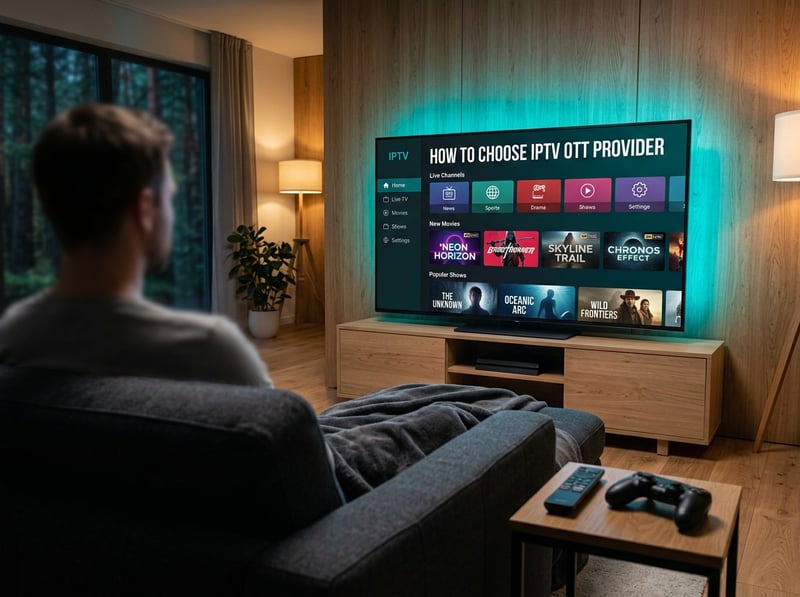
Real-world example: Imagine it's Super Bowl Sunday. You skipped the trial, went with the cheapest provider you found, and didn't test during peak hours. The game kicks off, 50,000 other users hit the same server, and your stream drops to a pixelated mess every 30 seconds. That's not bad luck, that's a predictable outcome of not vetting your provider properly. Another common scenario is ISP throttling kicking in during a Champions League final because your traffic was identified as IPTV without VPN protection, cutting your bandwidth in half right at kickoff.
How to Evaluate IPTV OTT Provider Server Stability
Server stability is the single most important factor when you learn how to choose an IPTV OTT provider, and most people completely ignore it during the evaluation phase.
- Ask about their server infrastructure: Do they use dedicated servers or resell from a middleman? Dedicated server providers have far more control over uptime and stream quality.
- Check uptime guarantees: Quality providers aim for 99.5%+ uptime. Ask directly or look for public uptime logs in community discussions.
- Test during peak hours specifically: Stream a live sports event or popular channel on a Friday or Saturday evening. If it holds up then, it'll handle your daily use easily.
- Look for anti-freeze and buffer control features: Some providers implement adaptive bitrate streaming or have multiple stream mirrors for the same channel, so if one source drops, it automatically switches to another.
Recommended Apps for Your IPTV OTT Provider
The app you use to consume your IPTV subscription matters almost as much as the provider itself. Here's how the main options stack up:
- TiviMate (Android/Firestick): The gold standard for IPTV apps. Clean EPG, smooth channel switching, multiple playlist support, and a beautiful 4K-ready interface. Requires a one-time premium unlock, but it's absolutely worth it for serious streamers.
- IPTV Smarters Pro: Excellent for users who want both Xtream Codes and M3U URL support in one app. Very compatible across Android TV boxes, Firestick, and Smart TVs. Has a slightly steeper learning curve but offers deep customization.
- GSE Smart IPTV: Great for users who need advanced M3U playlist management and custom EPG sources. Works well across iOS, Android, and Smart TVs.
- Perfect Player: A lightweight, reliable alternative that handles large M3U playlists efficiently. Popular among users with older Android TV boxes where performance matters.
Always match the app to your device's capabilities. A Firestick 4K Max handles TiviMate beautifully, while an older 1st-gen Firestick may perform better with a lighter app like Perfect Player.
Network Requirements for Buffer-Free IPTV Streaming
Even the best IPTV OTT provider in the world can't save you from a weak home network. Your internet connection is the pipe, and if the pipe is too narrow, nothing flows smoothly.
- Minimum speeds by quality tier: SD streams need at least 5 Mbps, HD streams need 10-15 Mbps, and 4K Ultra HD streams require 25-40 Mbps of stable, dedicated bandwidth per stream.
- Wired Ethernet always beats Wi-Fi: An Ethernet connection to your streaming device eliminates wireless interference entirely and delivers consistent latency. If running a cable isn't possible, a Powerline adapter or MoCA adapter are strong alternatives.
- Router quality matters enormously: Consumer-grade routers with limited QoS (Quality of Service) settings struggle when multiple devices compete for bandwidth. Upgrading to a mid-range router with QoS lets you prioritize IPTV traffic automatically.
- DNS settings affect stream loading speed: Switching from your ISP's default DNS to Cloudflare (1.1.1.1) or Google (8.8.8.8) can noticeably improve how fast channels and VOD content load.
- Test your actual speeds during peak hours: Your 100 Mbps plan may drop to 40 Mbps during evening peak usage. Run a speed test at 8 PM on a weekday to see your real-world numbers.
Common Setup Mistakes and How to Fix Them
Even when you've chosen a great provider, setup errors can make it seem like the service is terrible when the real problem is configuration.
- Pasting the M3U URL with extra spaces: When copying your M3U URL from an email or provider panel, invisible spaces sometimes get copied too. Always paste into a plain text editor first, clean it up, then paste into your app.
- Using the wrong connection type: If your provider supports Xtream Codes, use it instead of the raw M3U URL. It's more stable, supports better EPG integration, and handles reconnects more gracefully after a network hiccup.
- Not clearing app cache regularly: TiviMate and Smarters accumulate cache data that eventually slows channel loading and causes freezing. Clear your app's cache every 2-4 weeks.
- Forgetting to update the EPG source: If your program guide is showing wrong times or blank entries, your EPG URL needs refreshing. Go into your app's playlist settings and trigger a manual EPG update.
- Running too many background apps on Firestick: The Firestick's limited RAM means background apps eat into your streaming performance. Use a background task killer or restart your device before a long streaming session.
Best VPNs to Prevent ISP Throttling on IPTV
ISP throttling is one of the most silently destructive forces working against your IPTV experience. Your internet provider can detect streaming traffic patterns and deliberately reduce your speeds, all without notifying you. A reliable VPN solves this completely.
- ExpressVPN: Consistently the fastest VPN for IPTV use. Their MediaStreamer feature and lightweight Lightway protocol make it ideal for 4K streaming with minimal speed loss. Works flawlessly on Firestick and Android TV.
- NordVPN: Excellent balance of speed and security. Their NordLynx protocol delivers very low latency, and their server network covers 60+ countries for accessing geo-restricted content alongside your IPTV subscription.
- Surfshark: The best budget option for IPTV users. Unlimited simultaneous connections mean you can protect every streaming device in your home on one subscription.
- Always use a VPN server geographically close to you: Connecting to a server on the other side of the world adds latency. Pick the nearest server to maintain the best streaming speeds.
- Enable the kill switch: This cuts your internet if the VPN drops unexpectedly, preventing unprotected IPTV traffic from being exposed to your ISP even momentarily.

Knowing exactly how to choose an IPTV OTT provider is the difference between a streaming setup you brag about and one you constantly apologize for when guests come over. Take the trial seriously, test during peak hours, verify VPN compatibility, and never skip evaluating the EPG and VOD quality before you commit. The perfect provider for your setup exists, and now that you know what to look for, check out our channel list and pricing plans to find the right fit today.
Frequently Asked Questions
Ready to get started?
Try our service risk-free with a 24-hour free trial.
Related Articles
The Best Internet Plans for Streaming and How to Stop Overpaying in 2026
A practical cord-cutting guide to choosing the right internet plan for uninterrupted streaming without overspending on unnecessary gigabit speeds.
TV Antenna Complete Guide and How to Get Free Local Channels in HD Without Cable
A complete guide to TV antennas covering how to receive free local broadcast channels in HD without cable or internet including indoor vs outdoor antenna selection and placement optimization and channel scanning.
Discover the Best Streaming Device for IPTV in 2026
Find the top streaming devices for IPTV in 2026.