The Complete OTA DVR Guide to Recording Free Over the Air Television in 2026

The Complete OTA DVR Guide to Recording Free Over the Air Television in 2026
One of the most persistent objections cord cutters face when canceling cable television is the loss of DVR recording functionality. Cable subscribers grow accustomed to scheduling recordings of their favorite weekly programs pausing live broadcasts during interruptions and building personal libraries of content they can rewatch at any time. When the cable box disappears that entire workflow vanishes with it and many former subscribers simply accept that recording capability requires a cable subscription.
That assumption is completely wrong. Over-the-air DVR technology has matured into a robust category of consumer electronics that delivers identical recording functionality for the free broadcast channels your antenna already receives. An ota dvr connects to your existing antenna captures the digital broadcast signal and records selected programs to local storage with full pause rewind fast-forward and scheduled recording capability. No cable subscription required. No monthly DVR rental fee. No cloud storage charges. Just your antenna feeding free channels into a recorder you own permanently.
This guide covers every practical aspect of setting up an OTA recording system in your home. You will understand the different hardware categories available learn how to match tuner count and storage capacity to your household recording habits and discover how modern networked DVR solutions distribute live antenna television and your recording library to every screen in your home without running additional coaxial cables between rooms.
How Over the Air DVR Recording Actually Works
Understanding the technical flow of an OTA DVR system clarifies why the hardware is straightforward and why the recording quality matches or exceeds what cable DVR boxes deliver. Your rooftop or indoor antenna captures digital broadcast signals transmitted by local television station towers. These signals carry uncompressed ATSC format video at full broadcast quality that is actually higher fidelity than the compressed version cable companies deliver through their systems.
The DVR device contains one or more digital television tuners that demodulate the antenna signal into individual channel streams. Each tuner can process one channel at a time which means a dual-tuner DVR records two different channels simultaneously while a quad-tuner model handles four concurrent recordings. The tuner output feeds directly to the storage medium where the broadcast stream is saved in its original transport format preserving the full broadcast quality without any additional compression or quality reduction.
Playback from the storage drive delivers the recording at identical quality to the original live broadcast because no transcoding or recompression occurs during the recording process. Your DVR for over the air tv simply captures the exact digital data stream the broadcaster transmitted and stores it byte-for-byte on the local drive. When you play back the recording your television receives the same pristine signal quality it would have received during the original live broadcast. This direct-capture approach means OTA DVR recordings actually look better than cable DVR recordings because cable systems apply aggressive compression to squeeze hundreds of channels through limited bandwidth while broadcast stations transmit at full ATSC bitrate.
Standalone Tabletop OTA DVR Units for Single Television Setups
The simplest entry point into OTA recording is a standalone tabletop DVR device that connects between your antenna and a single television. These self-contained units include built-in tuners internal storage and a dedicated remote control providing complete DVR functionality without requiring any network connectivity internet connection or smartphone application. You plug your antenna cable into the input connect the HDMI output to your television and the device is ready to record within minutes of unboxing.
Standalone dvr recorder for tv hardware typically includes a built-in electronic program guide populated from data embedded within the broadcast signal itself. This program data allows you to browse the weekly schedule by channel and time select individual programs or entire series for recording and set recurring recordings that automatically capture every new episode of programs you follow. The recording schedule operates autonomously even when the television is powered off allowing the DVR to silently record your selections in the background at any hour.
Storage capacity on standalone units ranges from five hundred gigabytes to two terabytes depending on the model. At standard broadcast bitrates a one terabyte drive stores approximately one hundred and fifty to two hundred hours of high definition recordings. For most households this provides weeks of accumulated recordings before storage management becomes necessary. When the drive approaches capacity the oldest recordings can be manually deleted or the DVR can be configured to automatically overwrite the oldest watched recordings to maintain free space for new scheduled captures.
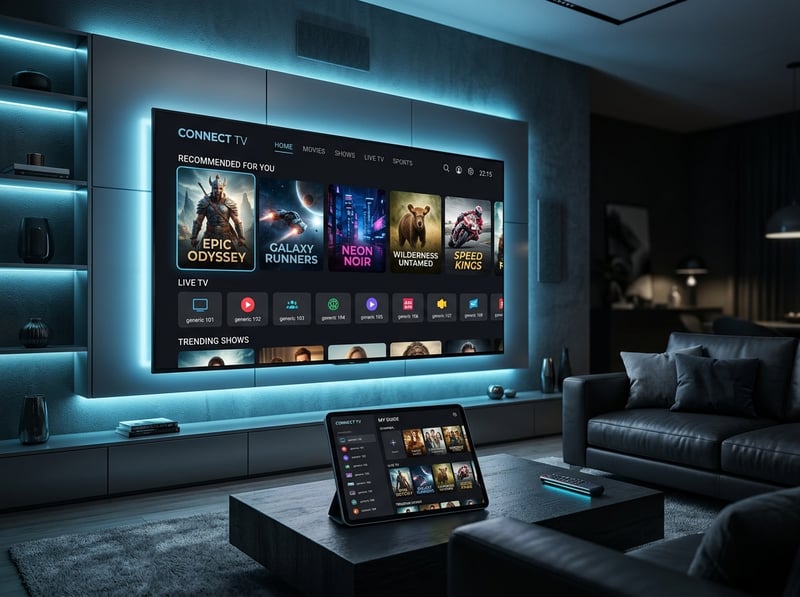
Networked Whole House DVR Solutions That Stream Antenna TV Everywhere
The most transformative advancement in OTA DVR technology is the networked whole house dvr architecture that distributes your antenna signal and recording library to every screen in your home through your existing Wi-Fi or ethernet network. Rather than connecting a DVR box to a single television a networked tuner device connects to your antenna and your home router simultaneously. A dedicated streaming application installed on your smart televisions streaming devices tablets and smartphones provides access to live antenna channels and the entire recording library from any screen in the household.
The networked approach eliminates the traditional limitation of antenna television being available only on the single TV directly connected to the coaxial cable. With a whole house OTA DVR your bedroom television displays the same live local channels and recording library as your living room screen. Your tablet streams a recorded program in the kitchen while someone else watches live antenna TV in the den. Every device running the companion application becomes a full-featured television with complete DVR control including scheduling new recordings pausing live TV and managing the recording library remotely.
Hardware for whole house OTA DVR setups consists of a compact network tuner device roughly the size of a paperback book. The antenna coaxial cable connects to the tuner input. An ethernet cable or Wi-Fi connection links the tuner to your home network router. An external USB hard drive provides recording storage with capacities ranging from one to eight terabytes depending on the drive you choose to attach. The tuner device runs headlessly without needing its own display using your network router to distribute content to every connected device running the companion application.
Choosing the Right Tuner Count for Your Recording Habits
The number of tuners in your OTA DVR device determines how many different channels you can record simultaneously and whether you can watch live TV while recordings capture in the background. Tuner count is the single most important specification to evaluate when selecting dvr for antenna tv hardware because it directly determines the operational flexibility of your recording workflow.
A dual-tuner device records two channels at the same time. If two programs you want to record air simultaneously on different channels the dual-tuner handles both without conflict. However if you also want to watch a third live channel while both recordings are in progress the dual-tuner has no available tuner to serve the live viewing request. You must either watch one of the two channels currently being recorded or wait until one recording completes to free a tuner for live viewing.
A quad-tuner device provides dramatically more flexibility by supporting four simultaneous operations. Record three different programs airing at the same time slot while watching a fourth channel live. Or record two programs while two household members watch different live channels on different devices. For families with multiple viewers who watch different content simultaneously and want to maintain robust recording schedules the four-tuner configuration eliminates virtually all scheduling conflicts that create frustration with dual-tuner models.
Some advanced networked tuner products offer configurations with six or even eight tuners for households with extensive recording demands and multiple simultaneous viewers. These higher tuner counts ensure that even during the busiest prime-time viewing hours when every family member watches something different while multiple scheduled recordings capture simultaneously no tuner contention forces unwanted compromises. Evaluate your household viewing patterns honestly. Count the maximum number of different things family members might want to watch or record at the same time during peak evening hours and choose a tuner count that meets or exceeds that number.
Storage Options and Managing Your Recording Library Long Term
The storage medium attached to your OTA DVR determines both recording capacity and long-term reliability of your accumulated content library. Over-the-air broadcast recordings at full ATSC quality consume approximately four to six gigabytes per hour for high definition content and roughly one and a half to two gigabytes per hour for standard definition sub-channels. These storage rates help you calculate exactly how much drive capacity your household recording habits require.
For networked OTA DVR devices that accept external USB drives selecting a reliable high-capacity drive provides the best balance of cost and storage longevity. A two terabyte external USB 3.0 drive provides approximately three hundred to four hundred hours of HD recording capacity at a hardware cost of fifty to seventy dollars. This represents months of accumulated recordings for most households before any storage management becomes necessary. Larger four or eight terabyte drives extend that capacity proportionally for households that maintain extensive series libraries or prefer to accumulate seasonal recordings without periodic deletion.
Managing your recording library prevents storage from filling to capacity which can cause scheduled recordings to fail silently. Periodically browse your recording list and delete programs you have already watched and do not intend to rewatch. Configure your DVR to automatically delete watched episodes of series recordings after a configurable retention period. Some DVR applications provide a storage usage dashboard showing how much capacity remains and which recordings consume the most space helping you make informed deletion decisions when space runs low.

Integrating Your OTA DVR With Your Streaming Entertainment Setup
The most satisfying cord-cutting configurations integrate the OTA DVR seamlessly alongside streaming applications creating a unified entertainment experience where switching between live antenna broadcasts recorded programs and streaming content feels like navigating within a single cohesive platform rather than juggling separate disconnected systems.
Networked OTA DVR applications installed alongside your streaming apps on a smart television or streaming device provide this integration naturally. Your device home screen displays the DVR application as one tile among your streaming service tiles. Launching the DVR app reveals your live channel guide and recording library while backing out returns you to the home screen where your streaming services wait one click away. Some streaming platforms even integrate antenna channel listings directly into their own program guide creating a truly unified content discovery experience across free broadcast and paid streaming sources.
For standalone tabletop DVR units connected to a single television via HDMI switching between the DVR and streaming apps requires changing your television HDMI input. Assign your DVR to HDMI one and your streaming device to HDMI two. Most smart TV remotes provide direct input switching buttons or an input menu accessible with a single press making the transition between live antenna DVR content and streaming applications a two-second operation. Label each HDMI input with a descriptive name through your television settings menu so family members can identify the correct input without memorizing port numbers.
Building the Ultimate Zero-Fee Television Recording Setup for Your Home
Assembling a complete OTA DVR system from antenna to whole house recording represents one of the highest value investments a cord-cutting household can make. The one-time hardware cost pays for itself within two to three months of cancelled cable DVR rental fees and the resulting system operates permanently with zero monthly subscription charges for the core recording functionality.
Start with antenna selection based on your geographic distance from local broadcast towers. Free online mapping tools show you exactly which towers serve your area and what antenna type provides reliable reception at your specific location. Indoor flat-panel antennas work well for households within twenty miles of major broadcast towers. Outdoor or attic-mounted directional antennas extend reliable reception to forty or fifty miles providing access to additional distant stations that indoor antennas cannot consistently capture.
Connect your chosen antenna to a networked OTA DVR tuner device positioned near your router for wired ethernet connectivity. Attach a USB hard drive with at least one terabyte of capacity for recording storage. Install the companion streaming application on every television streaming device tablet and smartphone in your household. Run the channel scan function through the app to detect all available broadcast channels in your area and the system is ready to record.
The completed setup delivers free live antenna television on every screen in your home with full DVR recording capability including scheduled series recordings pause and rewind live TV playback across all your devices and a centralized recording library accessible from any room. This entire infrastructure operates at zero monthly cost after the initial hardware purchase creating permanent savings that compound every single month you no longer pay cable television and DVR rental fees. Over the course of five years a household saving one hundred and fifty dollars monthly by replacing cable with this free antenna DVR system preserves nine thousand dollars that would have otherwise disappeared into cable company billing statements.
Frequently Asked Questions
Ready to get started?
Try our service risk-free with a 24-hour free trial.
Related Articles
Is IPTV Illegal in the USA? Understanding the Laws and Risks
Learn about the legality of IPTV in the USA and how to stay compliant.

Is IPTV Legal in the US? Understanding the Regulations in 2026
Learn about the legality of IPTV in the US.
Understanding IPTV: What Is It and How Does It Work?
Learn what IPTV is and how it operates effectively.