
How to Cut the Cord Complete Guide to Replacing Cable TV in 2026

A cable bill of $160 or more is common once box rentals and fees are added. For many households, a single shocking bill is the moment they cancel. It does not take a big cord-cutting strategy. Many households pay over $150 every month for a cable package they use maybe two hours a day, mostly on the same dozen channels. The other 235 channels existed purely to justify the price tag. A typical cord-cutting setup can cost under $30 per month total for more content than cable offered. Better picture quality. More sports coverage. There is plenty to watch. Most people find there is little to miss about cable TV. If you have been thinking about cutting the cord but keep putting it off because it feels complicated, this guide makes it simple. One weekend of setup and you are done forever.
Step 1 Audit What You Actually Watch
Before you cancel anything, spend one week tracking what you actually watch. Not what you think you watch. What you actually turn on. Write down every channel, every show, every live event. Most people discover three things during this audit that completely change their perspective on cable.
- You watch fewer than 20 channels regularly Out of the 200+ channels in a standard cable package, the average household tunes into 12-17 channels on a recurring basis. The rest are filler you scroll past.
- Most of your on-demand viewing is already streaming If you already have one or two streaming apps, you are probably watching more content there than on cable. Many households pay for cable AND streaming services, essentially double-paying for entertainment.
- Live TV is the real anchor The main reason people keep cable is live content like news, sports, and events. Once you realize IPTV covers all of that for $12 per month, the cable bill becomes impossible to justify.
A simple audit usually shows that a household watches only around a dozen channels regularly. Six of those were local broadcast stations available free with an antenna. Five were sports channels. Three were entertainment and news. Many households pay around $167 per month and watch only about 14 channels. That is nearly $12 per channel per month for content that costs a fraction of that through alternatives.
Step 2 Get Your Equipment Ready
The hardware you need costs less than one month of cable. Here is the complete shopping list.
- Streaming Device $30-50
- A Firestick 4K Max is the most popular choice for cord-cutters. It plugs into your TV HDMI port, connects to your WiFi, and runs every streaming and IPTV app you need. If you already have a Roku or Smart TV with app support you can skip this entirely.
- Digital Antenna $15-30
- A flat indoor antenna picks up all local broadcast channels in your area completely free. No subscription. No monthly fee. Just plug it into your TV coax input and run a channel scan. You will get local news, major network programming, and live sports broadcasts in uncompressed HD that actually looks better than cable. Check AntennaWeb to see which channels are available at your address.
- Your Existing Internet
- If you already have broadband internet at 25 Mbps or faster you are set. Do not let your cable company tell you that you need a special internet tier for streaming. A standard 50-100 Mbps connection handles multiple simultaneous streams without any issues.
Step 3 Replace Your Cable Channels
This is where people overthink cord-cutting. You do not need to find a separate replacement for each of your 200 cable channels. You need to cover three categories and everything else falls into place.
- Category 1 Local channels Covered by your digital antenna. Free forever. ABC, CBS, NBC, FOX, PBS, and local news stations all broadcast over the air in HD. This is the same signal cable companies charge you to retransmit.
- Category 2 On-demand shows and movies Covered by one or two streaming apps you probably already pay for. If you currently subscribe to any major streaming platform, that handles your on-demand needs entirely.
- Category 3 Live TV, sports, news, and entertainment channels This is the category that keeps people stuck on cable. And this is exactly what IPTV replaces at a fraction of the cost. A single IPTV subscription gives you access to thousands of live channels including every sports, news, and entertainment network that your cable package carried plus international channels cable never offered.
The total cost of covering all three categories runs $25-40 per month. Compare that to $150+ for cable and the math does itself. To see your own numbers, enter your bill in our cord cutting savings calculator.
Step 4 Set Up IPTV for Live Channels
IPTV is the secret weapon that makes cord-cutting work for people who need live TV. It replaces the live channel experience that streaming apps alone cannot provide. Here is how to get it running in about 15 minutes.
- Choose a Provider
- Look for a service with a free trial, secure payment options, instant activation, and responsive support. Channel counts of 15,000-25,000 are normal for quality providers. Pricing between $10-15 per month is the sweet spot for reliable service.
- Install a Player App
- On Firestick install TiviMate for the best live TV experience. On Roku install IPTV Smarters from the Channel Store. On Smart TV use Smarters or Smart IPTV. The player app is what displays your channels and programme guide.
- Enter Your Credentials
- Your provider sends you login details after signup. Enter the server URL, username, and password in your player app. Channels load within 30 seconds and the programme guide populates automatically.
- Organize Your Favourites
- Hide all the channel categories you do not watch. Create a Favourites list with your top 20-30 channels. This transforms thousands of channels into a focused clean guide showing exactly what matters to you.
Step 5 Cancel Your Cable Subscription
Once you have confirmed that your antenna, streaming apps, and IPTV setup cover everything you watch, it is time to make the call. Here are the tips that save you money even during the cancellation process.
- Call retention and ask for a better rate first The retention department will offer you a discounted rate to stay. Listen to the offer. If they cut your bill to $60-70 per month and you genuinely prefer cable, take it. But remember that rate expires in 12 months and resets to full price.
- Return all rented equipment immediately Cable boxes, routers, and DVRs need to go back within 7-10 days. Keep the return receipt. Cable companies are notorious for claiming they never received equipment and billing you $200-400 for unreturned hardware.
- Check for early termination fees If you are under contract, calculate whether the ETF costs more than finishing the contract. In most cases paying the ETF and switching immediately still saves money within 3-4 months.
- Keep your internet service You can usually unbundle your internet from cable and keep just the broadband connection. Your internet rate may increase by $10-20 when unbundled but the total is still far less than the cable bundle was.
- Screenshot your final bill Save proof of your cancellation date and final charges. Some cable companies continue billing after cancellation and having documentation makes dispute resolution instant.

What Cord-Cutting Actually Looks Like Day to Day
People imagine cord-cutting as some complicated technical setup where you have to juggle five different apps and remotes just to watch TV. Here is what a typical day looks like once the setup is done.
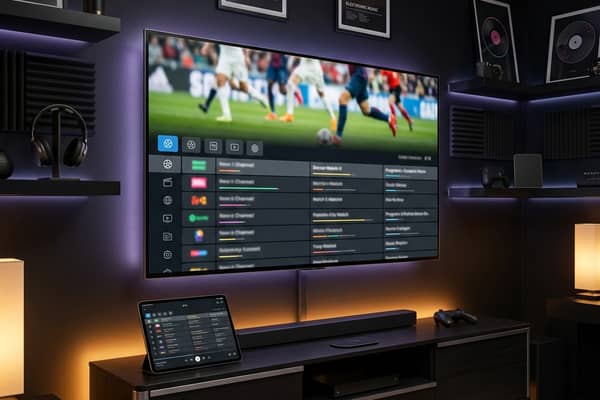
A typical day starts by turning on the TV. Press one button on the Firestick remote to open TiviMate. Your favourite channels list loads instantly with the programme guide showing what is live right now. Tap a news channel for the morning headlines. In the evening, browse the EPG for live sports or switch to a streaming app for a movie. It takes fewer button presses than cable, because you are not scrolling through 200 channels you never watch. The guide shows only the channels you choose to favourite.
On weekends, multi-view lets you watch 4 live matches at once. Something cable could never do without a $400 sports package add-on. During commercial breaks, you can switch to IPTV channels that are already showing something else. No waiting. No channel loading delays. Just instant content.
Common Fears About Cutting the Cord and Why They Are Wrong
- I will miss my favourite shows Every major show is available through streaming apps and IPTV. Almost every programme people want to watch is available through cord-cutting alternatives.
- It is too complicated for my family If your family can use a TV remote they can use a streaming device. The Firestick remote has 7 buttons. Cable remotes have 40+. Cord-cutting is actually simpler once configured.
- I need DVR recording TiviMate Premium includes recording functionality. Catch-up features let you replay content from the last 24-72 hours. Between recording and catch-up you have more replay options than a cable DVR ever provided.
- Internet is not reliable enough If you can stream YouTube or any video service without issues your internet handles IPTV perfectly. Modern streaming uses adaptive bitrate that adjusts quality automatically during network fluctuations.
- I will lose access to live sports This is the biggest myth in cord-cutting. IPTV provides more sports coverage than cable. Every league, every tournament, every channel. Plus international sports that cable never carried. Read our IPTV player guide for Smart TV for the best viewing setup.
Example: The Numbers for a Typical Household
Here is an example of what a typical household might spend before and after cutting the cord. Your numbers will differ, so enter your own bill in our cord cutting savings calculator.
- Typical cable bill $160+ per month once box rental, regional sports fee, broadcast fee, and HD technology fee are added to the base price.
- Example cord-cutting setup GetFastIPTV at $15 per month (or about $4 per month on the 12-month plan) plus one streaming app at about $15. Total about $30 per month. An antenna (about $25-40) and a Firestick (about $35) are one-time costs.
- Monthly savings About $130 per month
- Saved over 3 years Roughly $4,600 after the one-time equipment costs
- What you give up Hundreds of channels you never watch and a slow cable box
Most cord-cutters say their only regret is not doing it sooner. Every month of waiting can cost over $130 for no reason. If you are on the fence right now you already know the answer. Cancel cable, set up your alternatives this weekend, and join the millions of households that refuse to overpay for television anymore. Still not sure? Try our free IPTV trial alongside your cable for one weekend and compare them side by side. The difference speaks for itself.
Frequently Asked Questions
Ready to get started?
Try our service risk-free with a 24-hour free trial.
Related Articles
How to Screen Mirror and Cast to Roku from Any Device in 2026
A complete walk-through for screen mirroring and casting to Roku streaming sticks and smart TVs. Covers AirPlay for Apple devices, Miracast for Android, Windows display casting, and latency optimization.
Understanding EPG on IPTV: Everything You Need to Know
Learn about EPG on IPTV and how it improves your viewing experience.
What is the Best IPTV Player? Discover 2026's Top Choices!
Find out the best IPTV player options for 2026.