
Roku Local Channels Antenna Setup and Free TV Guide for 2026

Why Free Broadcast Television Still Matters for Cord Cutters in 2026
In the rush to embrace internet-based streaming platforms, millions of cord-cutters overlook one of the most powerful free entertainment resources already broadcasting directly into their homes. Over-the-air television signals transmitted from regional broadcast towers remain completely free to receive with basic digital hardware. No monthly subscription fees, no account passwords, no data caps, and no internet connection whatsoever is required to capture these full-resolution transmissions.
Local broadcast stations deliver some of the most valuable programming available to American and Canadian households. Weeknight primetime entertainment lineups, morning and evening regional news bulletins, live national sporting events including championship football and basketball playoff tournaments, and Saturday morning programming for children all transmit in uncompressed high definition directly through the airwaves. Unlike compressed internet streams that sacrifice visual fidelity to conserve bandwidth, over-the-air signals arrive at your television in pristine, studio-quality resolution.
For budget-conscious households already utilizing a Roku streaming device for internet entertainment, adding a roku antenna to the setup creates the ultimate hybrid cord-cutting command center. Free broadcast channels integrate seamlessly alongside premium internet applications within a single unified live television experience, saving families hundreds of dollars annually compared to maintaining legacy cable subscriptions for local station access.
Understanding Modern Digital Broadcast Signals and Frequency Bands
Before selecting antenna hardware, understanding how modern television signals propagate through the atmosphere helps you make an informed purchasing decision. When Congress mandated the nationwide transition from analog to digital broadcasting, every licensed television station switched to transmitting digitally compressed ATSC signals across designated frequency allocations.
Television broadcast frequencies occupy two primary spectrum bands. Very High Frequency channels transmit on longer radio waves that travel vast distances and penetrate building materials with relative ease. Ultra High Frequency channels operate on shorter, higher-energy wavelengths that carry robust data payloads but are more susceptible to physical obstructions like dense foliage, high terrain, and reinforced concrete walls.
Modern digital roku antennas are engineered to capture both VHF and UHF frequency bands simultaneously through multi-element reception arrays. A quality indoor antenna positioned near a window facing the nearest broadcast tower cluster typically captures between twenty and fifty digital channels within a thirty-mile radius. Households located in suburban or rural areas beyond forty miles from transmission sites benefit from amplified outdoor models mounted at rooftop elevation to maximize signal acquisition across challenging terrain.
How to Choose the Right Digital Antenna for Your Living Room
Walking into the antenna aisle of a consumer electronics retailer reveals dozens of competing products with wildly varying marketing claims. Manufacturers advertise reception ranges from twenty-five miles to two hundred miles on colorful retail packaging, but real-world performance depends almost entirely on your geographic proximity to transmission towers and local terrain obstacles.
Start by researching your broadcast tower locations using free signal mapping websites. Enter your street address and identify how many licensed transmitters operate within your reception zone. Note whether dominant local stations broadcast on VHF or UHF frequencies, as certain budget antennas omit VHF reception entirely to reduce manufacturing costs.
For typical suburban living rooms, a high-gain flat-panel indoor antenna rated for forty to fifty miles provides excellent everyday performance when positioned near a large window. Avoid placing the antenna behind thick curtains, metal blinds, or directly on the floor, as these obstructions dramatically attenuate incoming radio waves. Elevating the antenna to the highest accessible point in the room near external-facing glass consistently delivers the strongest and most reliable digital channel reception.
Connecting a USB Tuner Adapter to Your Streaming Device
Capturing free broadcast signals with a standalone digital antenna is only the first half of the equation. To display those channels within your streaming device interface alongside internet-based applications, you need a hardware bridge between the antenna coaxial output and your media player.
Compatible USB tuner adapters serve this critical bridging function. These compact devices accept a standard coaxial cable from your digital antenna on one end and connect to the USB port on supported streaming hardware on the other. Once physically connected and recognized by the operating system, the tuner adapter converts raw over-the-air digital signals into viewable television streams displayed natively within the live channel guide.
During initial hardware setup, verify that your specific streaming player model supports external tuner peripherals. Not every device generation includes the necessary USB host controller firmware required for tuner recognition. Consulting the official product specifications page for your exact model number confirms peripheral compatibility before purchasing adapter hardware.
Scanning for Available Broadcast Channels After Installation
After physically connecting your roku antenna tv hardware and USB tuner adapter, the next essential step is performing a comprehensive digital channel scan. This automated scanning process instructs the tuner to sweep across the entire broadcast spectrum, locking onto every available digital signal within reception range.
Navigate to the live television settings menu on your streaming device and select the option to scan for antenna channels. The scanning process typically requires three to five minutes to complete as the tuner methodically steps through each frequency allocation, testing signal strength and decoding station identification metadata from every detectable transmitter.
Once scanning finishes, the system displays a summary listing every successfully captured channel. In most suburban and urban locations, first-time scans reveal between thirty and seventy distinct digital channels. These include primary network affiliates broadcasting in full 1080i high definition alongside numerous digital subchannels carrying secondary entertainment, classic movie reruns, weather radar loops, and twenty-four-hour local news feeds. If your initial scan captures fewer channels than expected, reposition the antenna toward the nearest window, elevate it higher on the wall, and rescan to acquire weaker outlying transmissions.
Integrating Free Antenna Broadcasts into the Unified Live TV Grid
The most satisfying aspect of combining free broadcast reception with modern streaming hardware is the seamless integration of antenna channels into the same electronic program guide used for internet-based content. Rather than switching between separate television inputs or juggling multiple remote controls, everything appears within one cohesive viewing experience.
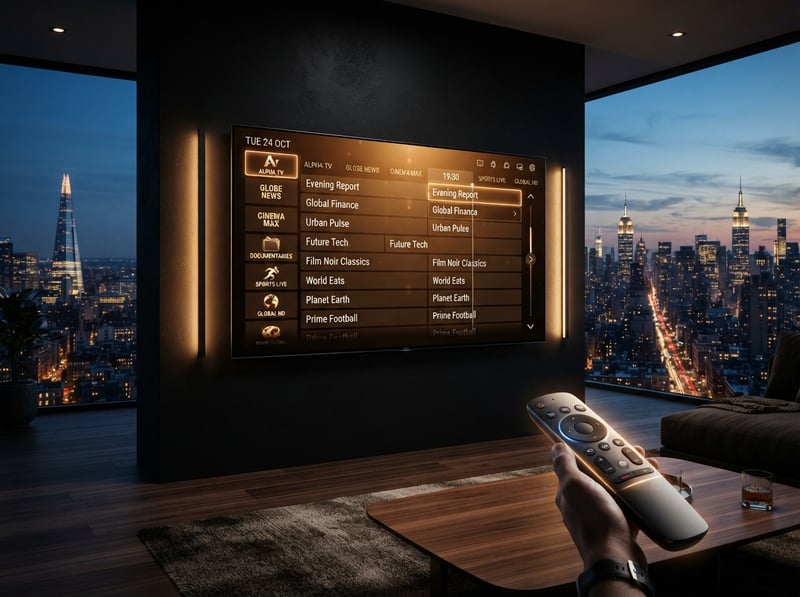
Successfully scanned antenna channels populate directly within the live television section of your streaming interface. Each captured station displays its official network logo, current program title, and upcoming broadcast schedule pulled from electronic guide metadata embedded in the digital signal. Viewers navigate between free antenna broadcasts and internet streaming applications using a single remote control without ever changing television inputs or switching between external devices.
This unified integration is particularly valuable for households that want how to get local channels roku without paying for expensive virtual cable subscriptions. Instead of spending forty to seventy dollars monthly on internet-based live television bundles just to access local news and network primetime, a one-time antenna hardware investment of twenty to fifty dollars delivers the same local stations permanently free of charge.
Recording Free Broadcasts and Building a Personal Media Library
Beyond live viewing, savvy cord-cutters leverage antenna reception hardware to build personal media archives of local programming completely free of monthly cloud storage fees or subscription-locked recording limitations.
Compatible tuner adapters with integrated digital video recording functionality allow viewers to connect an external USB storage drive and schedule automated recordings directly from the electronic program guide. Set a recurring recording for your favorite weeknight entertainment series, capture every local evening newscast for later review, or record an entire weekend of live sports coverage while you are away from home.
Unlike cloud-based recording services offered by mainstream streaming platforms that impose automatic content expiration after nine months or forcibly inject unskippable advertising into recorded playback, locally stored antenna recordings remain permanently under your control. You own the physical storage drive containing your captured broadcasts. There are no monthly storage tier fees, no corporate content expiration timers, and no forced commercial interruptions inserted into your personally recorded programming.
Maximizing Your Cord Cutting Savings with Hybrid Antenna and Streaming
The financial mathematics of combining free antenna broadcasts with affordable internet streaming services produce extraordinary household savings compared to maintaining traditional cable television subscriptions. A standard cable package delivering local channels alongside basic entertainment and sports programming costs American households between ninety and one hundred and fifty dollars every single month after promotional pricing periods expire.
By investing roughly thirty to fifty dollars in a quality digital antenna and pairing it with your existing streaming hardware, you permanently eliminate the most expensive justification cable companies use to retain subscribers. Local broadcast stations that cable providers charge a premium to deliver are captured freely through the atmosphere at full uncompressed resolution, often surpassing the visual quality of their cable-compressed equivalents.
Layer affordable internet streaming services on top of your free antenna foundation, and the complete entertainment package costs a fraction of legacy cable pricing. News, primetime entertainment, live championship sports, children programming, classic cinema, and thousands of international channels all converge on a single compact device sitting behind your television. The era of paying one hundred dollars or more each month just to watch local evening news is permanently over for households willing to invest fifteen minutes into a simple antenna installation.
Frequently Asked Questions
Ready to get started?
Try our service risk-free with a 24-hour free trial.
Related Articles
How to Find the Cheapest IPTV Service Without Sacrificing Quality in 2026
A budget-focused guide to evaluating affordable IPTV subscription options covering pricing structures and reliability indicators and trial testing strategies to avoid wasting money on unreliable providers.
Understanding Why Is IPTV Not Working Today: Causes and Fixes
Learn why your IPTV might not be working today and how to fix it.
Roku Projector Setup and How to Build a Budget Home Cinema in 2026
A complete guide to building an affordable home cinema using Roku-powered projectors or by connecting a Roku streaming stick to a standard projector. Covers hardware selection, room optimization, audio pairing, and streaming configuration for massive screen entertainment at a fraction of traditional television costs.