
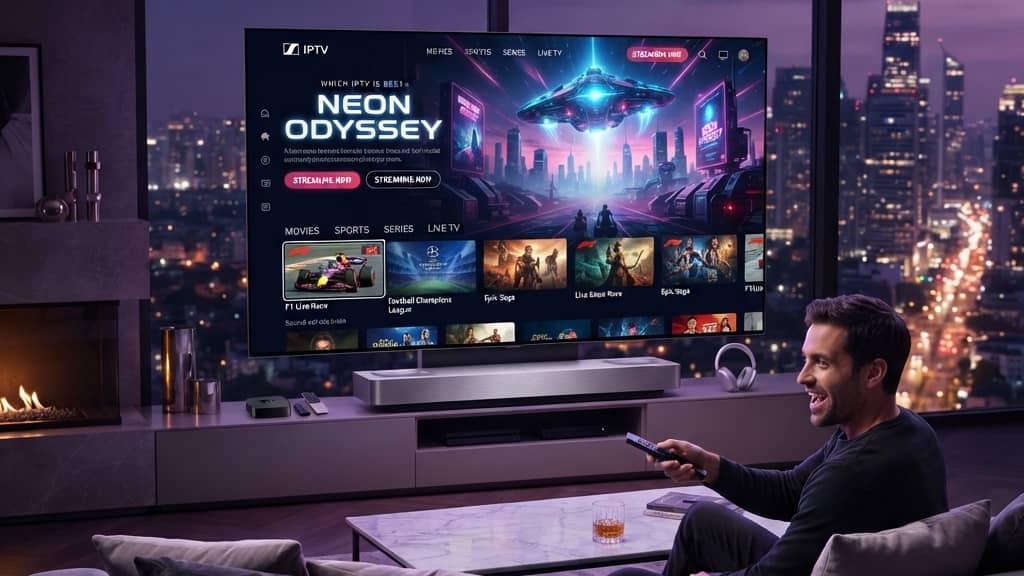
Discover SmartOne IPTV: Your Ultimate Streaming Solution Explained

You've probably heard the buzz about cutting the cord, ditching your cable bill, and getting thousands of live TV channels for a fraction of the price. But when you start digging into IPTV services, the options are overwhelming and most guides either assume you already know everything or leave out the details that actually matter. If you've landed here wondering exactly what SmartOne IPTV is, whether it's worth your money, and how to get it running without pulling your hair out, you're in exactly the right place. This guide covers everything from the core technology behind SmartOne IPTV to the step-by-step setup process on your Firestick, Android TV, and TiviMate so you can make a fully informed decision before spending a single dollar.
Solving your streaming setup correctly from day one is crucial because a misconfigured IPTV service leads to constant buffering, missed live events, and frustration that makes you want to go back to cable. Getting it right means you'll enjoy a genuinely smooth, reliable entertainment experience that actually saves you money long-term.
Core Concepts & Need-To-Know Info
- What SmartOne IPTV is: It's an Internet Protocol Television service that delivers live TV channels and VOD content over your internet connection rather than through a satellite dish or cable line.
- M3U Playlist: A file or URL that contains a list of channel streams. When you subscribe to SmartOne IPTV, you receive an M3U URL that you paste into your app of choice to load all your channels.
- Xtream Codes API: An alternative login method using a server URL, username, and password that many IPTV apps support. It's generally more stable than a raw M3U URL and is the preferred method for TiviMate users.
- Internet speed requirements: You need a minimum of 25 Mbps for HD streaming and 50+ Mbps for 4K content. Multiple simultaneous streams require more bandwidth.
- ISP throttling: Your Internet Service Provider can detect and slow down IPTV traffic, causing buffering even when your speed test looks fine. A VPN solves this.
- EPG (Electronic Program Guide): The on-screen channel guide that shows what's playing now and what's coming up. SmartOne IPTV typically includes an EPG feed URL that you can add to TiviMate or Smarters.
- Compatible devices: Amazon Firestick (all generations), Android TV boxes (NVIDIA Shield, Formuler, MAG boxes), Smart TVs, iOS, and Android smartphones.
Step-by-Step Guide
- Step 1: Enable Apps from Unknown Sources:
- On your Firestick, go to Settings, then My Fire TV, then Developer Options, and turn on Apps from Unknown Sources. This allows you to install TiviMate Companion and Downloader, which aren't available in the standard Amazon App Store.
- Step 2: Install the Downloader App:
- From the Firestick home screen, use the search bar to find and install the Downloader app by AFTVnews. This is your gateway to installing any app that isn't natively available in the Amazon store.
- Step 3: Download and Install TiviMate:
- Open Downloader and type in the URL for the TiviMate APK (search for the current TiviMate Companion APK link from the official TiviMate site). Download and install it. When prompted, allow the installation from this source.
- Step 4: Open TiviMate and Add a Playlist:
- Launch TiviMate and select Add Playlist. You'll be presented with two options: M3U URL or Xtream Codes. If SmartOne IPTV gave you login credentials (server URL, username, password), choose Xtream Codes. If they gave you a long URL ending in .m3u or containing /get.php, choose M3U URL.
- Step 5: Enter Your SmartOne IPTV Credentials:
- For Xtream Codes: Enter the server/portal URL in the first field, then your username and password in their respective fields. For M3U: Paste the full M3U URL exactly as provided, one wrong character will cause the playlist to fail to load.
- Step 6: Configure Your EPG:
- After your channels load, go to Settings, then Playlist, then EPG URL. Paste in the EPG URL provided by SmartOne IPTV. Set the refresh interval to every 24 hours. This populates your on-screen guide with program information.
- Step 7: Organize Your Channels:
- Use TiviMate's Favorites feature to pin your most-watched channels to the top. You can also hide categories you never watch to keep things clean and fast.
- Step 8: Test Your Streams:
- Browse to a live sports or news channel and let it play for 60 seconds. If it loads within 3 to 5 seconds and plays smoothly, your setup is working correctly. If you see buffering, check your internet speed and consider enabling your VPN before diagnosing further.

A real-world scenario where these issues destroy the experience: imagine it's Super Bowl Sunday, you've invited people over, and your stream starts buffering every 30 seconds because your ISP detects high-bandwidth streaming traffic and throttles you. A VPN running through a server in a nearby city would have masked that traffic and kept everything smooth. These aren't hypothetical problems, they happen every major sporting event to people who skipped the prep work.
Best VPNs to Stop ISP Throttling With SmartOne IPTV
ISP throttling is one of the most frustrating invisible problems in IPTV streaming. Your speed test shows 100 Mbps but your streams still buffer. That's throttling, and a quality VPN is the fix. ExpressVPN is consistently the fastest VPN for streaming, with its MediaStreamer feature and lightweight Lightway protocol making it ideal for Firestick. NordVPN offers a dedicated server mode optimized for streaming and its SmartPlay technology works well with IPTV apps. Surfshark is the best budget option with unlimited device connections, making it perfect if you're running SmartOne IPTV on multiple TVs under one account. When choosing a VPN, always pick a server geographically close to you and look for split tunneling support so only your IPTV app routes through the VPN.
TiviMate vs IPTV Smarters Pro: Which App Is Best for SmartOne IPTV?
Both apps work with SmartOne IPTV but serve slightly different users. TiviMate is the gold standard for a cable-TV-like experience with a clean EPG, fast and intuitive UI, and a genuinely useful Favorites system. The premium version at $5.99 per year unlocks multiple playlists, recording, and catch-up TV, making it the top pick for a shared living room TV. IPTV Smarters Pro is better for users managing multiple IPTV accounts or who prefer a more mobile app-like interface with a Netflix-style VOD grid. GSE Smart IPTV is worth mentioning for power users who want deep M3U playlist customization and manual buffer controls. For most SmartOne IPTV users, TiviMate with an Xtream Codes connection is the winning combination offering faster channel loading, a better EPG, and a more polished interface than any competitor.
Network Requirements for 4K Streaming With SmartOne IPTV
4K content looks incredible but your network needs to meet minimum thresholds or the experience falls apart completely. You need at least 50 Mbps dedicated to your streaming device, and dedicated is the key word since sharing that bandwidth with other devices won't cut it. A wired Ethernet connection is always superior to Wi-Fi for 4K IPTV streaming, and if your device is far from your router, a powerline adapter or MoCA adapter can give you a stable wired connection through your home's electrical wiring. If you must use Wi-Fi, keep your streaming device in clear line-of-sight of your router since walls, especially concrete or brick, dramatically kill signal strength. Most modern routers also let you prioritize traffic for specific devices using Quality of Service settings, so set your streaming device to high priority to ensure it always gets first dibs on bandwidth.
Common Setup Mistakes and How to Fix Them
Even tech-savvy users make these errors when setting up SmartOne IPTV for the first time. If your Xtream Codes login fails, try switching between http:// and https:// in the server URL since some portals require one over the other. If channels load but won't play, this is almost always a connection limit issue, so log out of other devices or contact your provider to upgrade your connection count. EPG showing wrong times usually means your device timezone is incorrect, so check your Firestick or Android TV Date & Time settings and also the timezone offset inside TiviMate's EPG configuration. If the app freezes on the channel loading screen, clear TiviMate's cache in Settings, then Applications, then TiviMate, then Clear Cache, and restart. If VOD content shows but won't load, contact your SmartOne IPTV provider to confirm your subscription tier includes VOD access and that the correct credentials are being used.

SmartOne IPTV, when set up correctly with the right app, a reliable VPN, and a strong network connection, genuinely delivers on the promise of replacing cable with something better and cheaper. Do that groundwork once and you'll be watching thousands of channels in HD and 4K without a second thought about buffering or overpriced cable packages, so check out our full channel list and pricing plans to get started today.
Frequently Asked Questions
Ready to get started?
Try our service risk-free with a 24-hour free trial.
Related Articles
What is IPTV GitHub? Exploring Streams and Subscriptions
Uncover the essentials of IPTV GitHub and its benefits for streaming.
Is Guru IPTV Legal in the USA? What You Need to Know
Explore the legality of Guru IPTV in the USA and streaming tips.

Discover What an IPTV Player Is and How It Works
Explore the ins and outs of IPTV players and their features.