
How Does IPTV Work? Understanding the Technology Behind Streaming

You've seen the threads on Reddit. Someone posts about cutting their $150 cable bill down to $15 a month, watching every live sports channel imaginable, and never dealing with buffering again — and suddenly you're three hours deep into r/IPTV trying to figure out what any of it actually means. The problem is that most of those Reddit threads assume you already know the basics, leaving you more confused than when you started. This guide cuts through all of that noise. Whether you landed here after Googling "how does IPTV work Reddit" or you've been lurking those forums for weeks, you're about to get a crystal-clear, no-fluff breakdown of exactly how IPTV works, how to set it up on your device, and how to make sure it actually runs smoothly.
Solving the confusion around IPTV setup is crucial because a misconfigured player or a misunderstood M3U URL can turn what should be an effortless experience into constant troubleshooting. When you understand the underlying technology, you make smarter choices about your provider, your app, and your network — and that's what separates a smooth 4K stream from a pixelated mess.
Core Concepts & Need-To-Know Info
- IPTV stands for Internet Protocol Television: instead of receiving TV signals via cable or satellite, content is delivered over your internet connection in data packets
- M3U Playlist: a text file or URL that contains the list of channels and streams your IPTV player reads; it's the backbone of almost every IPTV service
- Xtream Codes API: an alternative delivery method where your provider gives you a server URL, username, and password instead of an M3U link; many apps like TiviMate and IPTV Smarters support both formats
- VOD (Video on Demand): the on-demand library section of your IPTV subscription, similar to Netflix, containing movies and TV series you can watch anytime
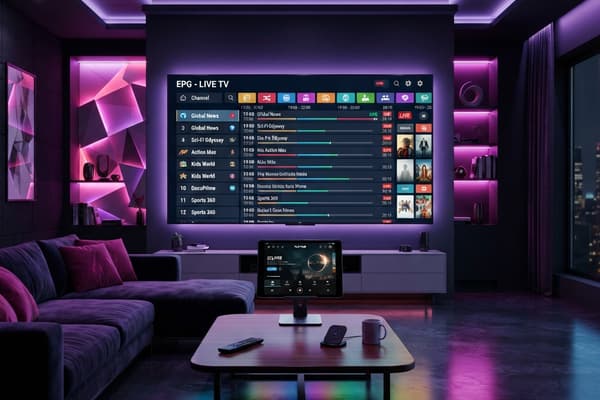
- EPG (Electronic Program Guide): the on-screen channel guide that shows what's currently playing and what's coming up, similar to a traditional TV guide
- Buffering is almost always a network or server issue: not an app problem; understanding this saves hours of unnecessary troubleshooting
- ISP Throttling: your Internet Service Provider may intentionally slow your connection when it detects streaming traffic, which is one of the top complaints you'll see on any Reddit IPTV thread
- Internet speed requirements: for SD streaming you need at least 5 Mbps, HD requires 10-25 Mbps, and 4K content demands 25-50 Mbps per stream
Step-by-Step Guide: How to Set Up IPTV on a Firestick
- Step 1: Enable Apps from Unknown Sources:
- Navigate to your Firestick Home Screen, go to Settings, then select My Fire TV (or Device on older models), tap Developer Options, and toggle on Apps from Unknown Sources. This allows you to install third-party IPTV apps that aren't in the Amazon App Store.
- Step 2: Install the Downloader App:
- From your Firestick Home Screen, use the search bar to find and install the Downloader app by AFTVnews — it's free and available directly in the Amazon App Store. This app acts as your browser and file installer for sideloading APK files.
- Step 3: Download Your Preferred IPTV Player:
- Open the Downloader app and enter the URL for your chosen player. For TiviMate, go to tivimate.com and grab the companion app first, or search for a direct APK URL from the official TiviMate site. For IPTV Smarters Pro, enter the direct APK download link from the Smarters website. Type the URL carefully — one wrong character breaks the entire process.
- Step 4: Install the APK:
- Once the file downloads within the Downloader app, it will automatically prompt you to install. Tap Install, wait for it to complete, then tap Done (not Open — you'll launch it properly in the next step). Go back and delete the APK file from Downloader to free up storage space.
- Step 5: Launch the App and Add Your Playlist:
- Open your newly installed IPTV player. In TiviMate, tap Add Playlist and select M3U Playlist or Xtream Codes depending on what your provider gave you. If you have an M3U URL, paste it in exactly as provided. If you have Xtream Codes credentials, enter the server URL, your username, and your password in their respective fields. Tap Add and wait for the channel list to load — this can take 30 seconds to several minutes depending on how large your provider's playlist is.
- Step 6: Configure Your EPG:
- Once your channels load, go into your app's settings and add an EPG URL. Your IPTV provider typically supplies this alongside your M3U link. In TiviMate, go to Settings, then EPG, and enter the provided URL. Set it to auto-refresh every 24 hours so your program guide stays current.
- Step 7: Test Your Streams:
- Browse to a live channel and let it load. Test a few different channel categories — news, sports, and a premium movie channel. If everything loads cleanly within 2-3 seconds, your setup is working correctly. If you see consistent buffering, the issues likely lie with your network or your VPN.

Imagine settling in for a Sunday afternoon game, everything working perfectly for the first 10 minutes, then suddenly the stream drops to a pixelated crawl right at kickoff — that's classic ISP throttling in action, and it's infuriating when you don't know what's causing it. Similarly, a lot of new IPTV users spend hours blaming their app or their provider when the real culprit is a single typo in their M3U URL that they copied from a Reddit comment weeks ago.
Best VPNs to Stop ISP Throttling
ExpressVPN is consistently the top recommendation in IPTV-focused Reddit threads due to its MediaStreamer feature and consistently fast server speeds across multiple regions — it handles 4K streams without breaking a sweat. NordVPN offers obfuscated servers that disguise your VPN traffic as regular HTTPS traffic, making it much harder for your ISP to detect and throttle — particularly useful for users whose ISPs aggressively target streaming protocols. Surfshark is the budget-friendly pick that still delivers solid speeds for HD streaming and allows unlimited simultaneous device connections, which matters if you're running IPTV on multiple TVs at home. When connecting, always choose a VPN server in the same country as your IPTV provider's server for the lowest latency and fastest stream load times. Enable your VPN's kill switch feature — this automatically cuts your internet if the VPN drops, preventing your ISP from suddenly seeing your streaming traffic.
Common Setup Mistakes & How to Fix Them
Playlist not loading: The most common cause is a malformed M3U URL. Go back to your provider, copy the URL again directly from their email or customer panel, and re-enter it character by character rather than pasting if you've had repeated failures. Channels loading but no video playing: This usually indicates a connection issue between your device and the IPTV server. Try switching from Wi-Fi to a wired Ethernet connection using an Ethernet adapter for your Firestick, or force-close the app and reopen it. EPG not showing: Many users forget that EPG data takes time to fully download after setup. Give it 5-10 minutes after adding your EPG URL, then restart the app. If it still doesn't populate, confirm with your provider that the EPG URL they gave you is active. App crashing on startup: Clear the app's cache and data through your device's App Settings, then relaunch. If the problem persists, uninstall and reinstall the app entirely — this resolves the majority of crash issues without losing your playlist settings if you remember your credentials. Buffering on fast internet: Run a speed test first to rule out genuine connection issues. If your speeds are healthy, the problem is almost certainly ISP throttling — connect your VPN and retest the stream.
Recommended Apps: TiviMate vs IPTV Smarters
TiviMate is widely considered the gold standard for Firestick and Android TV box users — its interface closely mimics a traditional cable guide, it handles extremely large playlists without slowing down, and the premium version ($4.99/year) unlocks multiple profiles, recording functionality, and catch-up TV support. IPTV Smarters Pro is more beginner-friendly with its simpler setup process and is completely free, though it can feel sluggish with very large channel lists and its interface feels less polished compared to TiviMate. GSE Smart IPTV is the go-to recommendation for Smart TV and iOS users where TiviMate isn't available — it supports both M3U and Xtream Codes and has a clean, navigable interface. For users who want the absolute best performance and plan to use IPTV long-term, TiviMate Premium is almost universally the recommendation you'll find in top-voted Reddit IPTV posts.
Network Requirements for 4K Streaming
If you want a flawless 4K IPTV experience, your network needs to meet specific requirements — and most people's home setups have at least one weak link. You need a minimum of 25 Mbps dedicated to your streaming device for a stable 4K stream; if other devices in your home are also streaming or gaming simultaneously, you realistically need 50-100 Mbps total bandwidth. Use wired Ethernet over Wi-Fi wherever possible — a Cat6 Ethernet cable from your router to your streaming device eliminates the packet loss and interference that causes the inconsistent buffering Wi-Fi is notorious for. Router placement matters significantly — if you must use Wi-Fi, ensure your router is in the same room or the adjacent room to your streaming device with no thick concrete or brick walls in between. Upgrade your DNS settings by switching from your ISP's default DNS servers to Google DNS (8.8.8.8 and 8.8.4.4) or Cloudflare DNS (1.1.1.1) to reduce resolution delays that can cause initial buffering before a stream loads. Avoid network congestion hours if possible — if 4K streams buffer between 7 PM and 11 PM but run smoothly at other times, that's peak-hour congestion, which a VPN or a router QoS setting can help manage.

IPTV genuinely delivers everything that Reddit threads promise — massive channel libraries, live sports, international content, and VOD collections at a fraction of the cable cost — but only when you understand the technology well enough to set it up correctly and troubleshoot it confidently. Now that you know exactly how IPTV works the way Reddit users are always talking about, you have every tool you need to build a rock-solid streaming setup that performs night after night — so pick a reputable provider, grab a quality paid VPN, and check out our channel list and pricing plans to get started today.
Frequently Asked Questions
Ready to get started?
Try our service risk-free with a 24-hour free trial.
Related Articles
Best Movies Streaming Right Now and How to Find Hidden Gems on Every Platform
A guide to finding the best movies currently streaming across all major platforms covering discovery strategies and genre recommendations and free movie options for cord cutters who want great films without endless scrolling.
How to Get Local Channels on Roku Free and Paid Options 2026
Local channels are the one thing cord-cutters miss most after cancelling cable. Your local news, weather forecasts, and network programming feel impossible to replace until you realize Roku offers multiple ways to access them without a cable subscription. This guide covers every method available in 2026 from completely free options to budget IPTV that delivers every local channel in HD.
Understanding EPG IPTV: A Comprehensive Guide for 2026
Learn about EPG IPTV and its significance in streaming.