
How to Get Local Channels on Roku Free and Paid Options 2026

After cancelling cable, the first question in most households is how to watch the local news. Not the premium channels. Not the sports packages. The local evening news and weather forecast that she watched every single day for 15 years. Many assume Roku handles everything. Finding local affiliates in the Roku Channel Store can take a long time, and often the right app does not exist for your market. Local channels on Roku are the biggest gap in the cord-cutting experience and the most common reason people consider going back to cable. They should not. There are multiple ways to get every local channel on your Roku without a cable subscription and most of them are either free or cost less than a single month of the cable bill you just escaped.
Method 1 The Roku Channel Free Local News
The Roku Channel is the built-in free streaming hub on every Roku device. It includes a growing collection of local news stations that stream live for free without any subscription.
- How to Access
- Press the Home button on your Roku remote. The Roku Channel is pre-installed on every device. Open it and browse to the News or Local section. Available local stations vary by your geographic market.
- What You Get
- Live local news broadcasts from participating stations in select markets. Coverage is expanding but not yet universal. Major metropolitan areas have better representation than rural markets.
- Limitations
- Not all local stations participate. You may find your neighboring market stations available but not your own. Programming is limited to news broadcasts and does not include the full network schedule of local affiliates. No local sports or syndicated entertainment programming.
Method 2 Over-the-Air Antenna on Roku TV
If you own a Roku TV with the Roku operating system built directly into the television, you have a coaxial antenna input on the back of the set. This is the most reliable method for free local channels.
- Step 1 Buy a Digital Antenna
- Purchase an indoor digital antenna. Basic flat models cost $15 to $30 on Amazon. Amplified models with longer range cost $30 to $50. For most urban and suburban locations, a basic indoor antenna is sufficient.
- Step 2 Connect the Antenna
- Plug the coaxial cable from your antenna into the ANT/Cable input on the back of your Roku TV. Position the antenna near a window or exterior wall for the best signal reception.
- Step 3 Scan for Channels
- On your Roku TV go to Settings, then TV Inputs, then Antenna TV, then start the channel scan. The Roku TV scans all available frequencies and saves every channel it detects. This process takes 3 to 5 minutes.
- Step 4 Browse Your Local Channels
- After scanning, select Antenna TV from your Roku home screen input list. Your local channels appear in a standard TV guide with channel numbers. In urban areas you can expect 30 to 60 free channels including all major network affiliates, public television, and subchannel programming.
The antenna method delivers full HD broadcast quality which is actually higher bitrate than most streaming services because over-the-air broadcasts are uncompressed. Your local news, network shows, sports, and special events all come through in crystal clear HD with zero buffering and zero monthly cost after the one-time antenna purchase.
Method 3 Free Local News Apps in the Roku Channel Store
Many local TV stations publish their own free streaming apps in the Roku Channel Store. These apps carry live newscasts and on-demand clips from your local station.
- How to Find Them
- Open the Roku Channel Store and search for your city name or your local station call letters. For example, search for your city plus news to find participating stations in your market.
- What They Offer
- Live local news broadcasts, weather radar, breaking news alerts, and on-demand clips from recent newscasts. Some stations also stream their full daytime programming schedule.
- Limitations
- Not every station has a Roku app. Apps from small market stations are often poorly maintained with frequent crashes. Programming is limited to news content and does not include network prime-time shows that air on the same channel through cable or antenna.
Method 4 IPTV for Complete Local Channel Coverage
If you want every local channel from every market without antenna positioning headaches, geographic limitations, or weather interference, IPTV is the most comprehensive solution.
- Every market covered IPTV subscriptions include local affiliates from major markets across the entire country. You are not limited to stations within your antenna range. Watch local channels from any city regardless of where you live.
- Full programme schedule Unlike free apps that only carry news segments, IPTV delivers the complete broadcast schedule including prime-time network programming, syndicated shows, local sports, and special event coverage.
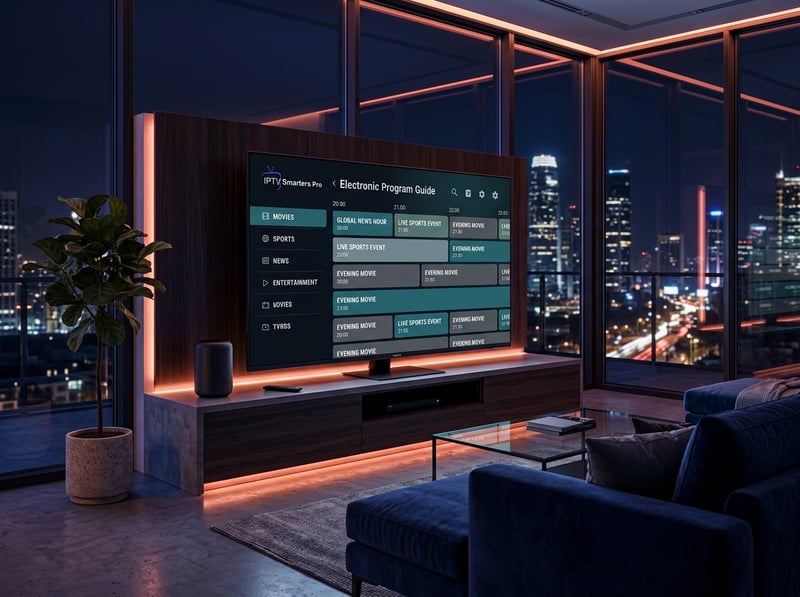
- HD quality with EPG All local channels stream in HD with a complete electronic programme guide showing schedules, programme descriptions, and start times. You browse local programming the same way you browse any other channel category in TiviMate or Smarters.
- Works on Roku Install IPTV Smarters from the Roku Channel Store, enter your Xtream Codes credentials, and your local channels appear alongside every other channel in your subscription. Follow our Roku IPTV setup guide for step-by-step instructions.
- Monthly cost Roughly $12 per month for 20,000+ channels including every local market. Compare that to cable packages that charge $50 to $150 monthly for the same local channels plus a fraction of the total channel count.
Why an Antenna Alone Is Not Enough
An antenna gives you free access to major network affiliates within broadcast range. That covers a significant chunk of local programming. But there are real limitations that affect daily viewing.
- Geographic range If you live more than 40 miles from the broadcast towers, your antenna reception drops significantly. Rural viewers may only receive 5 to 10 channels compared to 50+ in urban areas.
- Weather interference Heavy rain, snow, and wind can disrupt antenna signals causing pixelation, audio dropouts, and complete signal loss during storms. This always seems to happen during severe weather when you need local news coverage most.
- No cable-only locals Some local channels that were part of your cable package are not available over the air. Regional sports networks, local access channels, and certain news stations only distribute through cable or streaming infrastructure.
- Antenna positioning frustration Getting a strong signal on all channels simultaneously sometimes requires repositioning the antenna for each channel scan. One direction picks up stations from the north while missing stations from the south.
- Roku sticks and boxes have no tuner If you use a Roku streaming stick or box instead of a Roku TV, you have no antenna input at all. You need a separate OTA tuner device that streams antenna content over your WiFi network to the Roku, adding complexity and cost.
The Optimal Local Channel Setup for Cord-Cutters
The smartest approach combines free methods with a budget supplement for complete coverage.
- Indoor antenna on your Roku TV Free one-time cost of $15 to $30. Delivers major network affiliates in full HD with zero monthly fees. Covers your daily local news and prime-time network shows.
- Free local news apps Zero cost. Download your local station apps from the Roku Channel Store for on-demand news clips and live weather radar on your phone or secondary TV.
- IPTV for everything else Roughly $12 per month. Fills every gap the antenna and free apps leave. Full local coverage from every market, complete programme guide, sports channels, entertainment, and international content. Read our complete cord-cutting guide for the full breakdown of building a cable-free setup.
- Total monthly cost $12 per month for IPTV plus a one-time $20 antenna purchase. That is $164 for a full year of complete television including every local channel, every sport, and thousands of entertainment options versus $1,200 to $1,800 per year for cable.
Final Advice on Local Channels and Roku
Local channels are solvable. The antenna handles the free basics. IPTV handles everything the antenna cannot reach. Together they deliver a more complete local viewing experience than cable ever provided because you get every market, not just your own. The days of paying $100 per month for local channels bundled with 200 channels you never watch are over. Set up your antenna this weekend, install your IPTV player, and enjoy local television the way it should work in 2026.
Frequently Asked Questions
Ready to get started?
Try our service risk-free with a 24-hour free trial.
Related Articles
How to Get Free or Low-Cost Internet Service Through Government and Provider Programs
A practical guide to finding free and discounted internet service through federal assistance programs and provider discount tiers and student discounts and senior offers for qualifying households.
How Much Does IPTV Cost? Discover Pricing for 2026
Find out the costs of IPTV subscriptions and what affects pricing.
IPTV Free Trial: How to Test Premium Streaming Before Buying in 2026
Discover how to get a risk-free 24-hour IPTV free trial, test server stability during peak hours, and avoid common trial traps.