How to Choose the Best OTT IPTV Provider: A Complete Guide
I've been through more OTT IPTV providers than I'd like to admit. Some were decent for a week, then the buffering started. Others looked amazing on paper — 40,000 channels, 4K streams, 24/7 support — and delivered none of it. The worst one I tried didn't even last a full month before the entire operation shut down overnight. No warning, no refund, just a dead M3U link and an empty Telegram group. If you're reading this, you're probably tired of the same cycle. You sign up, it works for a bit, then it falls apart. The truth is, knowing how to choose an OTT IPTV provider isn't complicated, but most people skip the steps that actually matter and end up paying for garbage. I'm going to walk you through exactly what to look for, what to avoid, and how to test any provider before you commit real money. This is everything I wish someone told me before I wasted hundreds of dollars figuring it out the hard way.
Choosing the wrong OTT IPTV provider doesn't just cost you money. It costs you time — hours spent troubleshooting, reinstalling apps, hunting for new providers, and missing the shows and games you actually wanted to watch. Get it right the first time and you'll wonder why you didn't do this research sooner.
Core Concepts & Need-To-Know Info
- OTT (Over-The-Top): This just means the content is delivered over the internet instead of through a cable box or satellite dish. When people say OTT IPTV, they're talking about streaming live TV and on-demand content through an app on your Firestick, Smart TV, or phone. That's it. No special hardware needed.
- M3U Playlist: A URL your IPTV app uses to pull in all the channels. You paste it into TiviMate or Smarters and the full channel list loads up. It's basically the key to your entire channel library.
- Xtream Codes API: An alternative to M3U. Instead of a link, you get a server URL, username, and password. I prefer this because it loads faster, reconnects better after internet drops, and handles the EPG more reliably.
- Server Load Balancing: Premium providers spread users across multiple servers so no single one gets overloaded. This is why some providers work perfectly at peak time while others choke. If a provider doesn't mention their server infrastructure at all, they probably don't have much of one.
- VOD Library: The on-demand movies and TV shows included with your subscription. A lot of providers stuff this with thousands of titles that don't actually play. During your evaluation, click on at least 10 random titles. If more than two fail, that tells you everything.
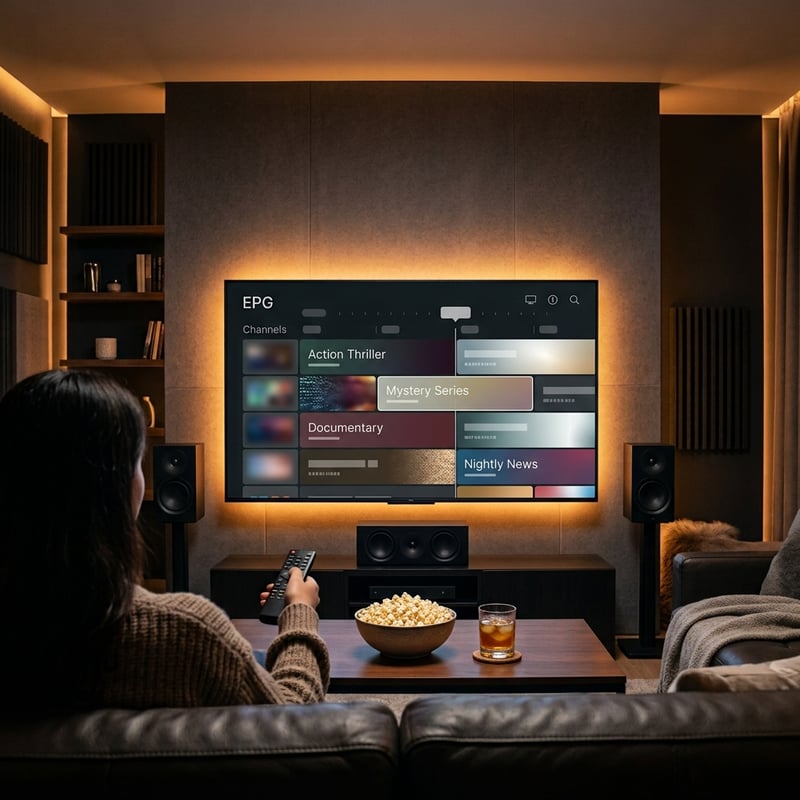
- EPG (Electronic Program Guide): The on-screen TV guide showing what's playing now and next. A provider who includes a working, accurate EPG is one who cares about the user experience. If the EPG is broken or missing entirely, that's a shortcut-taker you don't want to deal with.
Step-by-Step Guide on How to Choose an OTT IPTV Provider
- Step 1: Check if They Have a Real Website
- This sounds basic but it eliminates half the bad options immediately. A legitimate OTT IPTV provider has an actual website with clear pricing, a channel list or category breakdown, device compatibility info, and a way to contact support. If the only presence they have is a Telegram channel or a random Facebook page with a WhatsApp number, keep scrolling. Seriously.
- Step 2: Look for Independent Reviews and Real User Feedback
- Don't trust the testimonials on their own website. Search Reddit, IPTV forums, and even YouTube for reviews from real users. Look for specific mentions — things like which channels buffer, how support responds, whether the VOD library is actually updated. Generic five-star reviews that all say the same thing in different words are fake. You want the messy, detailed, honest ones.
- Step 3: Request a Free Trial Before Paying
- Any provider confident in their service will give you a trial. At least 24 hours. If they won't, ask yourself why. A 15-minute demo or a trial that requires your credit card isn't a real trial. You need enough time to test during peak hours, try different channel categories, and see how VOD performs. If they refuse, you've already got your answer.
- Step 4: Test Their Channel Quality, Not Just Quantity
- Don't be impressed by big numbers. I've tested providers claiming 50,000 channels where 30,000 were either duplicates, dead links, or channels in languages I'll never watch. What matters is whether the channels you actually care about work. Sports channels during live events, news channels during prime time, entertainment channels in HD or better. Open 20 channels across different categories and see how many actually load and stay stable.
- Step 5: Set Up the Service on Your Primary Device
- On Firestick, head to Settings, My Fire TV, Developer Options, and enable Install Unknown Apps for Downloader. Download TiviMate or IPTV Smarters Pro through the Downloader app. Enter your trial credentials — Xtream Codes or M3U, whichever the provider sent. Copy and paste everything. Don't type it manually. One wrong character and nothing loads.
- Step 6: Stress Test During Peak Hours
- This is the step that separates a smart buyer from someone who's going to regret their purchase. Watch live content between 7 PM and 11 PM for at least two evenings. That's when servers are under real pressure. A service that runs perfectly at noon on a Wednesday means absolutely nothing. You're paying for it to work when you actually want to watch TV, and that's evenings and weekends.

I learned the lifetime subscription lesson the expensive way. Paid for what was supposed to be a forever deal, and the provider went dark after about five weeks. No email, no response on Telegram, website taken down. Just gone. And I've seen it happen to dozens of other people in forums since then. The pattern is always the same — flashy ads, too-good-to-be-true pricing, a burst of positive reviews from new accounts, then silence. The reseller problem is just as bad. You think you're dealing with a real OTT IPTV provider, but they're just middlemen buying access from someone else and marking it up. When the actual source has issues, your reseller can't fix anything because they don't control the servers.
Red Flags vs Green Flags When Choosing an OTT IPTV Provider
Let's make this simple. Green flags: they offer a free trial without asking for payment info. They have a working website with real pricing. Their support responds within a few hours, not days. They're transparent about how many channels actually work and don't inflate numbers. They let you pay monthly so you can leave whenever you want. Red flags: Telegram-only communication. No trial or a suspiciously short one. Lifetime plans. Channel counts above 40,000. Fake reviews that all sound identical. Pressure to buy annual plans immediately. Payment only through crypto with no other options. If you see more than two red flags with any provider, don't bother testing them. Move on. There are enough decent options out there that you don't need to take risks on sketchy ones.
Best Apps to Use With Your OTT IPTV Provider
The app you use matters more than most people think. TiviMate is my go-to and it's been that way for over a year. The premium version is around 5 dollars per year, which is basically nothing. You get a polished interface that feels like actual cable TV, fast channel switching, proper EPG integration, catch-up support, and even recording. For anyone on Firestick or Android TV, it's the best option available. IPTV Smarters Pro is the better choice if you're still evaluating multiple providers. The free version supports several playlists so you can load two or three providers and compare them side by side without paying anything. The interface isn't as clean as TiviMate but it's functional. On iOS, your options are more limited since TiviMate doesn't exist for iPhone or iPad. GSE IPTV and IPTVX are the most reliable picks there. OTT Navigator is another underrated option on Android that handles massive channel lists better than most apps and has deep customization if you like digging into settings.
How to Test an OTT IPTV Provider's VOD Library Properly
The VOD section is where lazy providers expose themselves the fastest. Here's what I do every time I'm evaluating someone new. First, I check if they have movies from the current year. Not last year. This year. If the newest title is eight months old, the library isn't being maintained. Second, I pick 10 random movies across different genres and hit play on each one. If more than one or two fail to load or get stuck buffering, the VOD sources are unreliable. Third, I try skipping ahead in a movie to the middle and near the end. Some providers can start a video but can't handle seeking, which means their CDN setup is weak. And finally, I look at the TV show section. Are full seasons available? Do episodes play in order? I've seen providers where Season 3 of a show just has episodes missing with no explanation. A quality OTT IPTV provider keeps their VOD library organized, updated, and functional. It's not optional — it's a core part of what you're paying for.
Why Server Location Matters for Your IPTV Experience
This is something almost nobody talks about when explaining how to choose an OTT IPTV provider, but it's huge. If your provider's servers are in Europe and you're streaming from North America, every channel switch adds latency. That half-second to two-second delay when you change channels? A lot of that comes from server distance. The best providers run servers in multiple regions — North America, Europe, and sometimes Asia — and route you to the nearest one automatically. Some even let you manually select which server to connect to, which is great if the automatic routing isn't optimal for your location. Ask your provider about this before signing up. If they can't tell you where their servers are, they probably don't own them. And a provider who doesn't control their own infrastructure can't guarantee anything about performance.
ISP Throttling and Why a VPN Is Non-Negotiable
Your internet provider can see what kind of traffic you're using. And a lot of them — Bell, Rogers, Telus, Comcast, you name it — actively throttle IPTV streams during peak hours. You'll think your OTT IPTV provider is terrible when actually it's your ISP deliberately slowing you down. A VPN encrypts everything so your ISP can't tell what you're streaming. I use ExpressVPN on my Firestick. It's fast, it has a native Fire TV app, and I've never had it drop or slow my streams. NordVPN is solid too, especially their dedicated IP feature which stops IPTV servers from blocking shared VPN addresses. Surfshark is the budget-friendly pick with unlimited device connections. Whichever one you go with, connect to a server close to you geographically, and always turn the VPN on before launching your IPTV app. Not after. Some apps cache your connection on startup and switching VPN mid-session causes playlist loading issues.
Now you know exactly how to choose an OTT IPTV provider without wasting money on the wrong one. Use this guide as your checklist, trust the results you see during peak hours over anything a provider promises in their ads, and don't settle for buffering. Check out our full channel list and pricing plans to see what a provider that actually delivers looks like.
Frequently Asked Questions
Ready to get started?
Try our service risk-free with a 24-hour free trial.
Related Articles
Discover SmartOne IPTV: Your Ultimate Streaming Solution Explained
Explore SmartOne IPTV, its features, and setup tips.
How to Cut the Cord Complete Guide to Replacing Cable TV in 2026
Cable bills averaging $150 per month in 2026 are driving millions of households to cut the cord permanently. This guide walks you through the entire process from auditing what you actually watch to choosing the right streaming services and equipment to replacing your cable subscription without losing a single channel you care about. Real numbers and real alternatives from someone who cut cable three years ago and never looked back.
VOD Meaning Explained and How Video on Demand Works in 2026
A comprehensive explainer covering the meaning of VOD, how video on demand technology works, the different VOD business models including subscription and ad-supported tiers, and how VOD integrates with live television services in the modern streaming landscape.